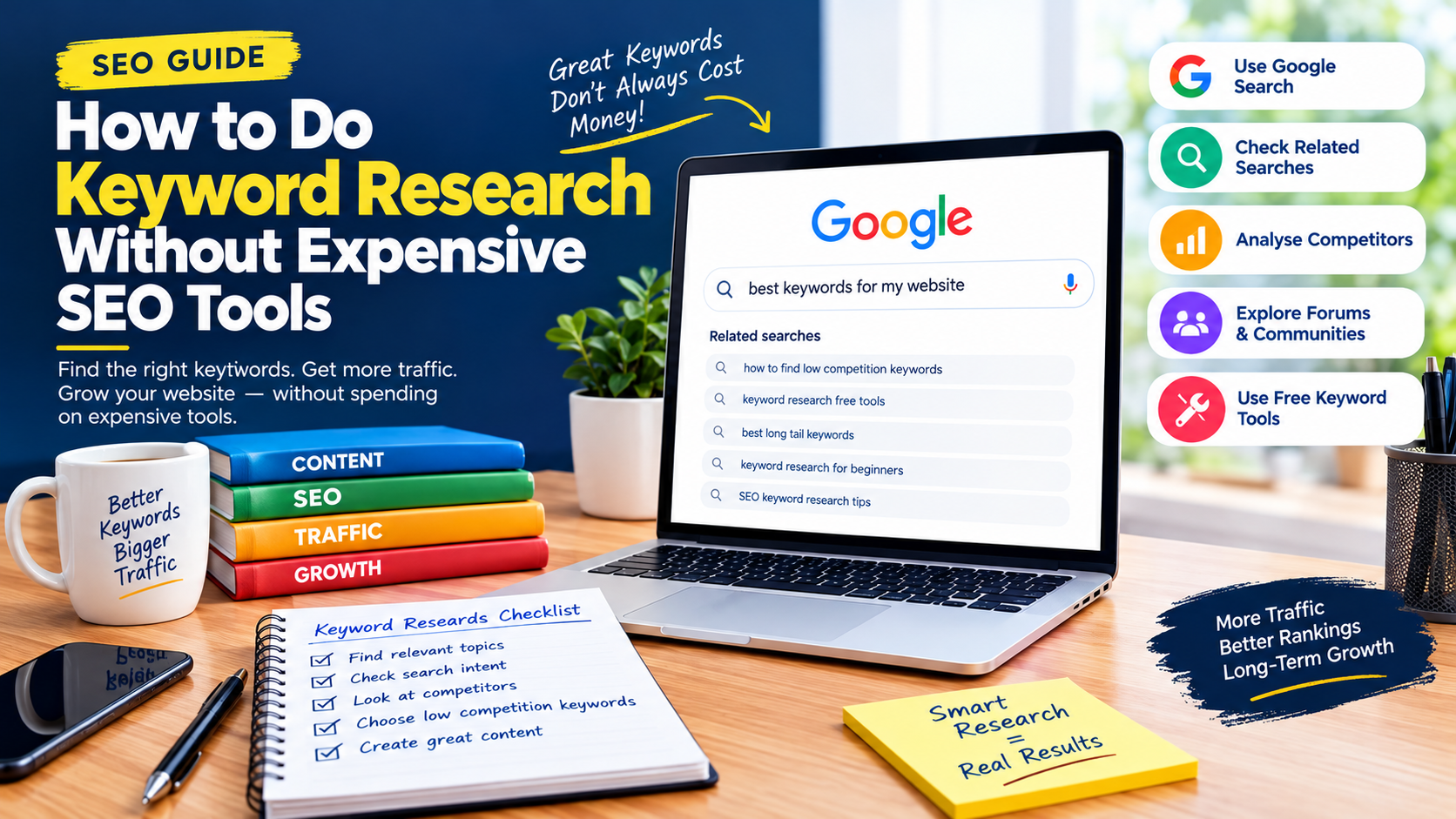
How to Do Keyword Research Without Expensive SEO Tools
Keyword research is one of the foundations of successful SEO, but you do not need an expensive SEO subscription to find useful keywords.
Many bloggers, content creators, small businesses and new website owners assume that effective keyword research requires expensive platforms with advanced keyword difficulty scores, search-volume databases and competitor analysis features. While premium SEO tools can certainly save time, you can build a surprisingly effective keyword strategy using Google Search, Google Search Console, Google Trends and simple competitor research.
The key is to understand what your audience is searching for, why they are searching for it and what type of content will best satisfy their needs.
Google Search Console is particularly useful for websites that already receive organic traffic because its Performance reports show queries that generated impressions and clicks for your site. You can also filter performance data by pages and countries.
This guide explains how to do keyword research without expensive SEO tools and turn your findings into useful content ideas.
What Is Keyword Research?
Keyword research is the process of discovering the words and phrases people use when searching for information, products, services or answers online.
For example, someone interested in WordPress maintenance might search for:
- WordPress website maintenance
- how to maintain a WordPress website
- WordPress maintenance checklist
- how to fix a slow WordPress website
- WordPress security maintenance
These phrases can reveal different search intentions.
The goal is not simply to find the keyword with the highest search volume. A good keyword should also be relevant to your audience, match the purpose of your website and provide an opportunity to create genuinely useful content.
Why You Don’t Need Expensive SEO Tools
Premium SEO platforms can provide useful features such as keyword databases, competitor research and ranking analysis.
However, keyword research can also be approached from the other direction: start with actual search behaviour and your own website data.
Google itself provides several sources of useful search information.
Google Search Console shows the queries for which your website appeared in Google Search, along with metrics such as impressions, clicks, CTR and position.
Google Trends can reveal search interest over time and related searches. Its related-search features include both frequently associated searches and rising searches.
Together, these resources can form the foundation of a practical keyword research system.
1. Start With Your Audience
Before opening a keyword tool, think about your audience.
Ask:
What problems are they trying to solve?
For a technology blog, potential questions might include:
- How do I speed up WordPress?
- Why is my website not appearing on Google?
- How do I fix a 500 error?
- How do I submit a sitemap?
- How do I create a mobile app?
For a business website, users might search for:
- web design company near me
- website development services
- digital marketing services
- SEO services for small businesses
Write down 10–20 questions your audience might ask.
These questions become your initial seed keywords.
2. Use Google Autocomplete for Keyword Ideas
One of the easiest free keyword research methods is Google Search itself.
Start typing a phrase into Google’s search box and examine the suggestions.
For example, enter:
how to fix WordPress
Google may suggest variations such as:
- how to fix WordPress errors
- how to fix WordPress login
- how to fix WordPress speed
- how to fix WordPress database
- how to fix WordPress 500 error
These suggestions can reveal the language people commonly use when searching.
Try different modifiers such as:
- how to
- why
- best
- near me
- for beginners
- in Nigeria
- online
- free
- tutorial
- guide
- checklist
Do not copy suggestions blindly. Choose phrases that are genuinely relevant to your audience.
3. Study the “People Also Ask” Section
Search Google for your main topic and look for the People also ask section.
For example, searching for “WordPress website security” may reveal questions related to:
- How do I secure my WordPress website?
- Is WordPress safe?
- How often should WordPress be updated?
- What are common WordPress security problems?
These questions can become:
- headings within an article,
- FAQ sections,
- separate articles,
- or ideas for future content.
This approach is particularly useful because it helps you understand the broader questions surrounding your main topic.
4. Look at Related Searches
Scroll toward the bottom of a Google results page and examine related searches.
These suggestions can help you discover variations and closely related topics.
For example, researching:
local SEO for small businesses
may lead you toward related ideas involving Google Business Profile, Google Maps, local rankings, reviews and location-based searches.
The important point is to identify topic relationships, rather than stuffing every related phrase into one article.
5. Use Google Search Console as Your Free Keyword Database
If your website has already been receiving Google traffic, Search Console can become one of your most valuable keyword research resources.
Open the Performance report and examine the Queries section.
Google says Search Console can show the queries that caused your site to appear in Search, as well as clicks, impressions, CTR and other performance information.
Look for three types of keywords.
High-impression, low-click keywords
These are queries where your website appears frequently but receives relatively few clicks.
Possible improvements include:
- rewriting the title,
- improving the introduction,
- making the page more directly relevant,
- improving the search-result presentation,
- or creating a more useful page.
Keywords you rank for unexpectedly
You may discover queries that you never deliberately targeted.
For example, an article about WordPress errors might receive impressions for several specific error messages.
These unexpected queries can become ideas for additional articles.

Keywords with existing clicks
If your site already receives traffic for a topic, consider expanding the topic into related content.
This can help you build a stronger topical structure instead of constantly starting from zero.
6. Use Google Trends to Find Growing Topics
Google Trends is another powerful resource for keyword research.
It allows you to examine search interest over time, compare terms and discover related searches. Google Trends also provides rising-search information, which can help identify queries experiencing increased interest.
This is especially valuable for:
- News publishers
- Technology bloggers
- Sports websites
- Entertainment publishers
- Local businesses
- Seasonal businesses
For example, a news publisher could compare different phrases relating to a developing topic and determine which terminology is gaining search interest.
Use location filters
If your audience is primarily Nigerian, use Nigeria as the geographic focus when appropriate.
You can also investigate regional interest when researching locally focused topics.
This can help distinguish a general keyword from one with stronger relevance to a particular audience.
7. Find Long-Tail Keywords
Long-tail keywords are longer, more specific search phrases.
For example:
Broad keyword:
WordPress errors
Long-tail keyword:
how to fix WordPress 500 internal server error
The second phrase has a much clearer search intent.
Long-tail keywords can be particularly useful for smaller websites because they allow you to create content around specific questions rather than competing broadly for generic terms.
Other examples include:
- how to fix WordPress memory limit error
- how to submit a sitemap to Google Search Console
- how to create a radio station mobile app
- how to improve SEO for a Nigerian news website
Specific searches often give you a clearer idea of what the user expects to find.
8. Analyze the Search Results Manually
You can learn a great deal without a keyword difficulty score.
Search your target keyword on Google and examine the results.
Look at:
- What type of websites rank?
- Are the results mostly guides?
- Are they news articles?
- Are they product pages?
- Are they local businesses?
- How comprehensive are the top results?
- What questions do they answer?
- What information appears to be missing?
This is a basic form of SERP analysis.
Your objective should not be to copy the top-ranking pages.
Instead, identify the search intent and determine how you can produce a more useful, accurate and original resource.
9. Understand Search Intent
Search intent is the reason behind a search.
Common categories include:
Informational intent
The user wants information.
Examples:
- what is technical SEO
- how does Google Search Console work
- what is WordPress
Commercial investigation
The user is researching before making a decision.
Examples:
- best WordPress hosting
- Flutter vs React Native
- best website builder for small business
Transactional intent
The user is ready to take an action.
Examples:
- buy web hosting
- register a domain
- hire a web designer
Navigational intent
The user is looking for a specific website or service.
Examples:
- Google Search Console
- WordPress login
- Gmail
Understanding intent helps you choose the appropriate content format.
A person searching “what is keyword research” probably needs an educational article, while someone searching “best SEO agency in Kano” may be looking for service providers.
10. Build a Simple Keyword Spreadsheet
You do not need a sophisticated SEO platform to organize your research.
A simple spreadsheet can contain columns such as:
| Keyword | Search Intent | Topic | Location | Content Type | Priority |
|---|---|---|---|---|---|
| WordPress SEO | Informational | WordPress | Global | Guide | High |
| local SEO Kano | Commercial | Local SEO | Kano | Guide/Service | High |
| Google Search Console errors | Informational | Technical SEO | Global | Guide | High |
| radio station mobile app | Informational | App Development | Global | Tutorial | Medium |
You can add columns for:
- Existing ranking page
- Search Console impressions
- Clicks
- Content status
- Publication date
- Internal links
- Update date
This turns keyword research into an organized editorial process.
11. Group Keywords by Topic
Do not create a separate article for every minor variation of the same keyword.
Instead, group related keywords into topics.
For example:
Main topic: WordPress website speed
Related keywords:
- how to speed up WordPress
- WordPress website slow
- WordPress speed optimization
- improve WordPress loading time
- WordPress performance optimization
A comprehensive article may naturally address several of these queries.
This approach can produce stronger resources than publishing five short articles that all answer essentially the same question.
12. Use Google Keyword Planner as an Optional Resource
Google Ads Keyword Planner is another option if you want additional keyword ideas and search estimates.
Google says Keyword Planner can discover related keywords and provide estimates of searches. However, access to basic keyword-idea features requires completing Google Ads account setup, including billing information.
If your goal is simply to conduct SEO research without paying for an expensive third-party platform, you can treat Keyword Planner as an optional source rather than the foundation of your strategy.
The important thing is not to become dependent on one numerical metric.
13. Create a Keyword Priority System
Once you have a list of keywords, rank them according to practical value.
Consider four factors:
Relevance: Does the keyword directly relate to your website?
Intent: Does it match the type of content you can provide?
Opportunity: Do you have a realistic chance of competing for the query?

Value: Could the resulting visitor become a reader, subscriber, customer or client?
A keyword with modest search interest but strong relevance can be more valuable than a huge generic keyword that attracts visitors who have no interest in your website.
14. Avoid Keyword Stuffing
Keyword research should influence your content strategy, not make your writing unnatural.
Do not repeat the same keyword in every paragraph.
Instead, use natural variations, related concepts and relevant terminology.
For example, an article targeting “keyword research” can naturally discuss:
- search intent,
- long-tail queries,
- content topics,
- Google Search Console,
- search trends,
- related searches,
- audience questions,
- content planning.
This makes the article useful to readers while giving search engines more context about the topic.
15. Create Content Around Real Questions
The best keyword research ultimately leads to better content.
Once you have identified a useful query, ask:
What would a visitor expect to find after searching this phrase?
Then answer that question clearly.
For example, if your keyword is:
“how to fix WordPress 500 internal server error”
do not write a general article about WordPress.
Explain:
- What the error means.
- Common causes.
- How to identify the cause.
- How to troubleshoot it.
- When to contact the hosting provider.
- How to prevent future problems.
That is how keyword research becomes useful SEO rather than keyword manipulation.
A Free Keyword Research Workflow You Can Repeat
Here is a simple process you can use for almost any website:
Step 1: Choose a broad topic based on your audience.
Step 2: Write down questions your audience might ask.
Step 3: Use Google Autocomplete to find variations.
Step 4: Examine People also ask and related searches.
Step 5: Use Google Trends to investigate interest and related searches.
Step 6: Check Google Search Console for queries your website already receives.
Step 7: Identify long-tail keywords and specific questions.
Step 8: Search the most promising keywords manually.
Step 9: Study the search intent and content format.
Step 10: Group related keywords into content topics.
Step 11: Prioritize topics based on relevance and opportunity.
Step 12: Create genuinely useful content and monitor its performance.
Final Thoughts
You do not need an expensive SEO subscription to perform useful keyword research.
Google Search itself can reveal autocomplete suggestions, related searches and questions. Google Search Console can show the queries already generating impressions and clicks for your website, while Google Trends can help identify search interest, related searches and emerging topics.
The most important skill is not collecting thousands of keywords. It is understanding what people want, why they are searching, and what useful content you can provide.
Start with your audience, research real questions, identify long-tail opportunities, study search intent and organize your findings in a simple spreadsheet.
For bloggers, content creators and small publishers, this approach can provide a practical SEO foundation without committing to an expensive keyword research platform.