How Internal Linking Can Improve Your Website’s SEO and Google Rankings
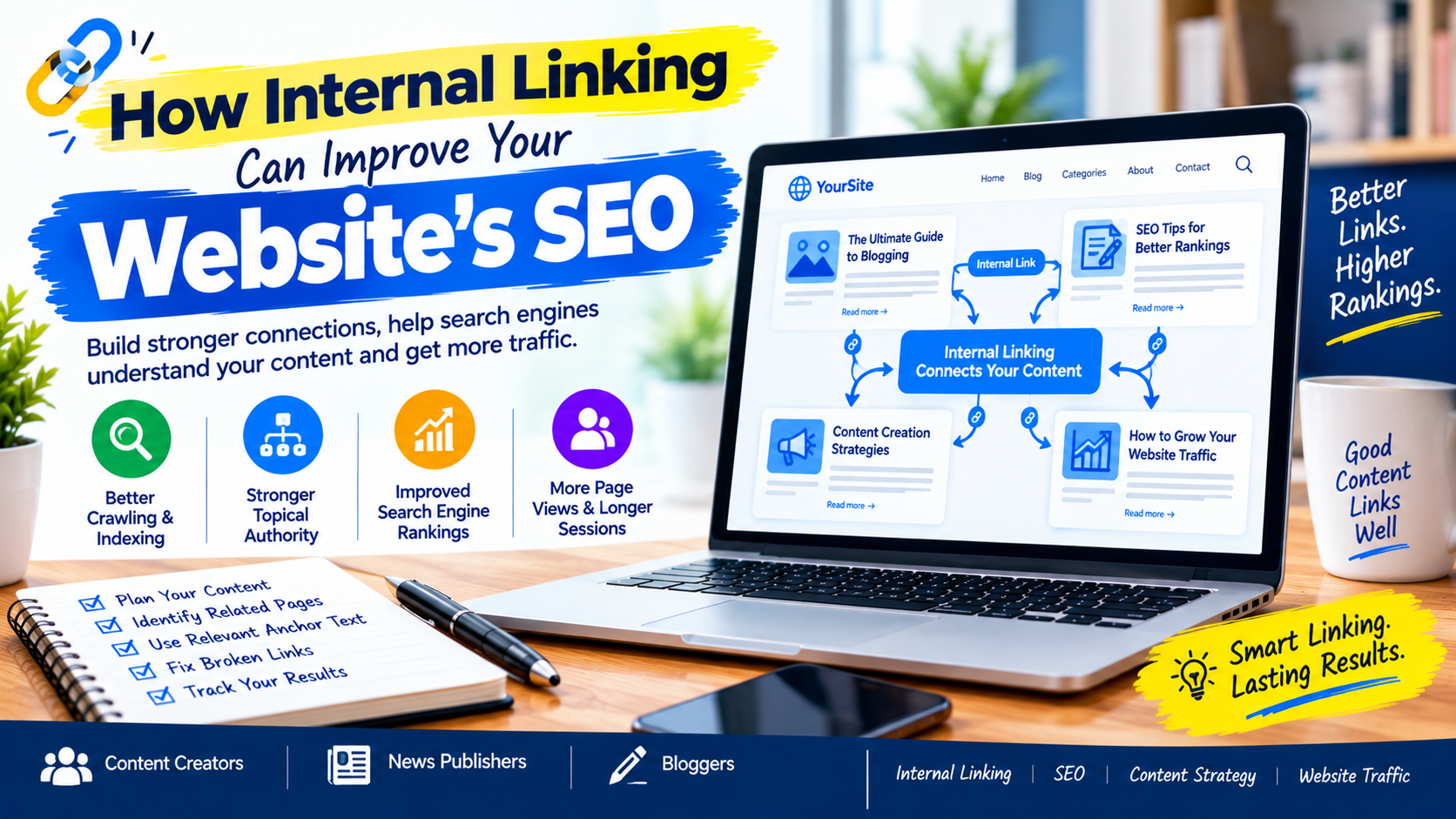
Internal linking is one of the simplest and most overlooked SEO strategies available to website owners. Whether you run a blog, news website, business website, or content platform, strategically linking related pages can make your site easier for visitors to navigate and easier for search engines to understand.
An internal link is a link that points from one page on your website to another page on the same website. For example, a blog post about “Google Search Console errors” could link to another article explaining how to fix indexing problems.
When used properly, internal linking can help create a logical website structure, connect related content, guide visitors to useful information, and make important pages easier to discover.
For content creators, bloggers, and news publishers with hundreds or thousands of pages, having a well-planned internal linking strategy can be particularly valuable.
What Is Internal Linking?
Internal linking is the practice of connecting pages within the same website using hyperlinks.
For example, imagine you publish an article titled:
“How to Fix WordPress 500 Internal Server Errors.”
Within that article, you could naturally link to related content such as:
- How to Increase WordPress Memory Limit
- Why WordPress Admin Dashboard Is Slow
- How to Fix Common WordPress Errors
- How to Improve WordPress Website Performance
These links create connections between related pieces of content.
Internal links are different from external links, which point to pages on other websites.
A strong internal linking structure helps users discover more relevant information while creating relationships between different pages on your website.
Why Is Internal Linking Important for SEO?
Internal linking can support several important aspects of SEO and website usability.
1. Internal Links Help Search Engines Discover Content
Search engines use links to discover and navigate between pages.
When an important article is connected to other relevant pages through internal links, it becomes part of your site’s overall structure.
This is particularly important for large websites such as news publishers, where new articles are published frequently.
For example, a news website might have categories such as:
Politics → Elections → Presidential Elections → Candidate Profiles
Internal links between related stories can help create a clearer relationship between these pages.
Google’s current Search guidance emphasizes understanding how Google crawls, indexes, and serves content, making a logical and accessible website structure an important part of technical SEO.
2. Internal Linking Improves Website Navigation
Internal links aren’t only for search engines. They are primarily useful to your readers.
Imagine someone reading an article about local SEO and finding a sentence saying:
“Learn more about optimizing your website for local searches.”
If that sentence links to a detailed local SEO guide, the visitor can continue learning without returning to Google and searching for another article.
This creates a smoother browsing experience.
For bloggers and publishers, this can also help readers discover older content that might otherwise receive very little traffic.
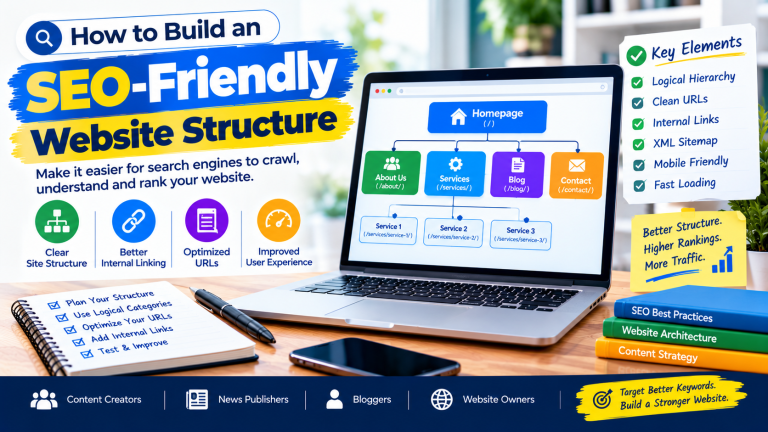
3. Internal Links Help Build a Strong Website Structure
Your website should not be a collection of disconnected pages.
Instead, related pages should be connected logically.
Consider a technology website covering WordPress.
You could create a content structure like this:
WordPress SEO Guide
→ WordPress Technical SEO
→ WordPress Speed Optimization
→ WordPress Security
→ WordPress Indexing
→ WordPress Plugins
→ WordPress Maintenance
Each section can contain several related articles connected through internal links.
This creates what is sometimes called a content cluster.
A well-organized content cluster helps demonstrate the relationship between related topics and makes it easier for visitors to find comprehensive information.
4. Internal Linking Can Help Distribute Link Value
Internal links can help distribute the authority and importance of pages throughout your website.
Suppose your homepage receives many backlinks from other websites.
You can connect important sections and articles to the homepage and other authoritative pages through a logical internal linking structure.
Similarly, a popular article can link to newer or less-discovered articles that provide additional information.
However, internal linking should be based on relevance rather than simply adding as many links as possible.
5. Internal Links Can Help Users Discover More Content
One of the biggest advantages of internal linking is that it gives readers additional opportunities to explore your website.
For example, a blogger writing about:
“How to Start a Blog”
could link to:
- How to Choose a Domain Name
- How to Install WordPress
- How to Write SEO-Friendly Blog Posts
- How to Do Keyword Research
- How to Improve Website Speed
A reader who finds the first article useful may continue reading several related articles.
This makes internal linking an important part of content discovery.

6. Internal Linking Supports Topic Clusters and Topical Coverage
Search engines need to understand what your website is about.
Publishing several useful articles around a closely related topic can help establish comprehensive topical coverage.
For example, a website focusing on SEO might publish:
- What Is SEO?
- Keyword Research for Beginners
- On-Page SEO
- Technical SEO
- Internal Linking
- Image SEO
- Google Search Console
- Website Speed Optimization
- Local SEO
These articles can be connected with relevant internal links.
Instead of treating each article as an isolated page, you create a network of related information.
7. Use Descriptive Anchor Text
Anchor text is the clickable text used for a hyperlink.
For example:
Poor anchor text:
“Click here to read more.”
Better anchor text:
“Learn how to fix Google Search Console indexing errors.”
The second example gives readers a much clearer idea of what they will find after clicking.
Descriptive anchor text can also provide useful context about the destination page.
Google has specifically emphasized making anchor text descriptive and understandable, including for accessibility purposes.
Examples of Useful Anchor Text
Instead of:
- Click here
- Read more
- This article
- Learn more
Consider:
- WordPress memory limit guide
- Google Search Console indexing errors
- Local SEO tips for Nigerian businesses
- How to improve WordPress website speed
The anchor should describe the destination naturally.
8. Link to Relevant Pages, Not Random Pages
One of the biggest internal linking mistakes is adding links simply to increase the number of links on a page.
Every internal link should serve a purpose.
Ask yourself:
“Would this link be useful to someone reading this paragraph?”
If the answer is yes, the link is probably relevant.
For example, an article about Google Search Console could naturally link to an article about indexing problems.
But linking the same article to an unrelated post about car maintenance simply because it is available on your website does not provide meaningful value.
9. Internal Linking Is Especially Important for News Websites
News publishers can benefit significantly from strategic internal linking.
News websites often publish dozens of articles every day. As a result, older stories can quickly become buried beneath newer content.
Internal links can help connect:
- Breaking news to background stories
- New developments to previous reports
- Politicians to previous statements
- Events to earlier coverage
- Current stories to related analysis
- News reports to relevant profiles
For example, if a publisher reports a new development involving a Nigerian politician, the article could link to previous stories covering the same person or event.
This creates a connected archive rather than a collection of isolated news stories.
10. Link From Older Articles to Newer Content
Internal linking should work in both directions.
Many website owners only add links when publishing a new article.
A better strategy is to periodically revisit older articles and identify opportunities to link to newer relevant content.
For example:
Old article:
“Complete Guide to WordPress SEO”
New articles:
“How to Fix Crawled – Currently Not Indexed Pages”
“How to Increase WordPress Memory Limit”
If these newer articles are relevant, update the older guide and link to them.
This can help readers discover newer resources while keeping older content useful.
11. Create a Logical Internal Linking Strategy
A simple internal linking strategy can follow these steps:
Step 1: Identify Your Important Pages
Start by identifying pages that are important to your website.
These might include:
- Main service pages
- Cornerstone articles
- Popular guides
- Important category pages
- High-converting pages
- Evergreen content
Step 2: Find Related Content
Look for articles that discuss similar or complementary topics.
For example, if your important page is about Technical SEO, identify articles covering:
- Website speed
- Indexing
- XML sitemaps
- Robots.txt
- Canonical URLs
- Broken links
- Mobile SEO
Step 3: Add Natural Links
Add links where they make sense within the content.
Avoid forcing keywords into sentences simply because you want to create an internal link.
Step 4: Use Descriptive Anchor Text
Make the destination clear to the reader.
Step 5: Check Your Links Regularly
Broken internal links can create a poor user experience.
Periodically check your website for:
- Broken links
- Redirect chains
- Links pointing to deleted pages
- Incorrect URLs
- Pages with very few internal links
Common Internal Linking Mistakes to Avoid
Overloading a Page With Links
More links do not automatically mean better SEO.
Add links where they provide genuine value.
Using the Same Anchor Text Everywhere
Using identical anchor text repeatedly can make your content feel unnatural.

Use descriptive language that fits the surrounding sentence.
Linking to Irrelevant Pages
Relevance should always come first.
Ignoring Older Content
Your older articles may contain valuable opportunities for internal links to newer content.
Leaving Important Pages Orphaned
An orphan page is a page that has no internal links pointing to it.
Important content should generally be discoverable through your site’s navigation or internal linking structure.
Forgetting Mobile Users
Internal links should be easy to identify and tap on mobile devices. Google recommends considering the overall page experience, including mobile usability, when evaluating a website.
How Many Internal Links Should a Page Have?
There is no universal number of internal links that every page should contain.
The correct number depends on the length, topic, and purpose of the content.
A short article may only need a few highly relevant links, while a comprehensive guide may naturally contain many more.
The goal should not be to reach a specific number.
Instead, focus on creating useful connections between related content.
Google explicitly warns against creating content primarily to manipulate search rankings and recommends focusing on helpful, people-first content.
How to Audit Internal Links on Your Website
If your website has been online for several years, performing an internal link audit can reveal valuable opportunities.
Start by checking:
1. Important pages
Are your most important pages receiving relevant internal links?
2. Orphan pages
Are there useful pages that are difficult to discover through your website?
3. Broken links
Do any internal links lead to missing pages?
4. Anchor text
Is your anchor text descriptive and natural?
5. Related content
Are articles covering the same topic connected to each other?
6. Older articles
Can older content be updated with links to newer resources?
7. Navigation
Can users easily move between related sections?
Google Search Console can also be used alongside other SEO tools to monitor how your website performs in Google Search and identify areas requiring further investigation.
A Simple Internal Linking Checklist
Before publishing an article, ask:
- Is this article connected to other relevant pages?
- Have I linked to useful supporting content?
- Does my anchor text describe the destination?
- Have I avoided irrelevant links?
- Are the links useful to readers?
- Are important pages receiving internal links?
- Have I checked for broken links?
- Can visitors easily discover related articles?
- Have I considered linking older relevant content to this article?
If you can answer yes to most of these questions, your internal linking strategy is moving in the right direction.
Final Thoughts
Internal linking is a simple but powerful part of website SEO. It helps connect related content, improve navigation, support content discovery, strengthen website structure, and make your site’s information easier for both users and search engines to understand.
For content creators, bloggers, and news publishers, internal linking is particularly valuable because websites can quickly accumulate hundreds or thousands of pages.
The key is to focus on relevance and usefulness rather than the number of links.
Instead of adding links simply because you want more internal links, ask whether each link helps the reader find the next useful piece of information.
When internal linking is combined with helpful content, descriptive anchor text, logical site structure, good navigation, and a strong overall user experience, it becomes an important part of a sustainable SEO strategy.
Remember: internal linking alone cannot guarantee higher Google rankings. SEO success depends on many factors, including content quality, relevance, technical accessibility, competition, and overall website experience. Google itself recommends creating helpful, reliable, people-first content rather than content designed primarily to manipulate search rankings.
For most websites, the best time to improve internal linking is not after traffic drops—it is while the site is growing. Build strong connections between your content today, and your website will be easier for readers to navigate and easier to manage as your content library expands.