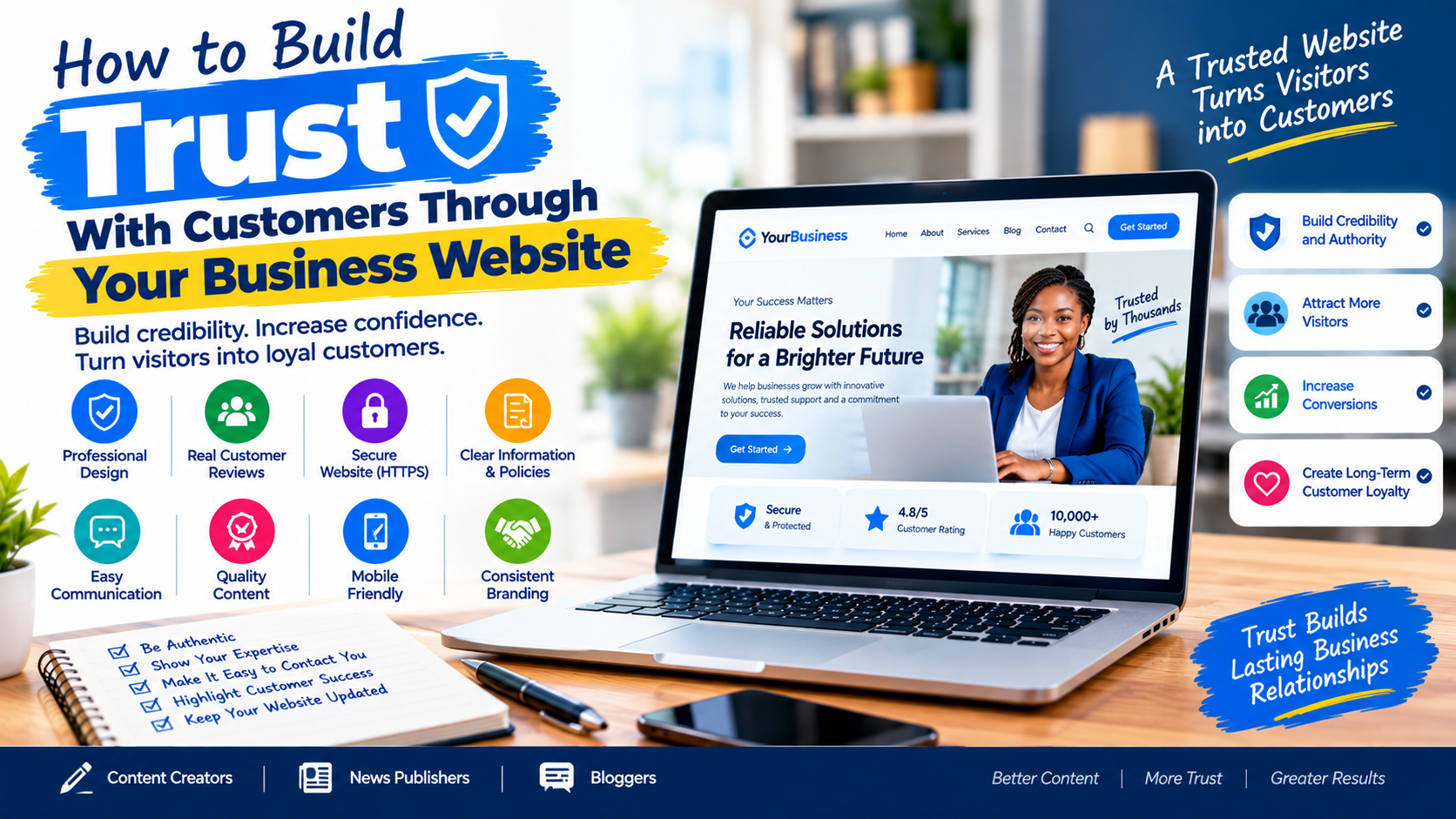
How to Build Trust With Customers Through Your Business Website
Your website is often the first place potential customers go when they want to know whether they can trust your business.
Before contacting you, buying your product, booking your service, or subscribing to your platform, visitors may check your website to answer simple questions:
Who are you? What do you offer? Are you legitimate? Can I trust you with my money or information?
If your website looks outdated, loads slowly, contains little information, has broken pages, or makes it difficult to contact you, potential customers may leave before taking the next step.
The good news is that you don’t need an expensive website to build customer trust. You need a website that is professional, transparent, secure, useful, easy to navigate, and consistent with your brand.
In this guide, you’ll learn how to build trust with customers through your business website and the practical website improvements that can turn visitors into customers.
Why Website Trust Matters for Your Business
Trust is one of the most important factors influencing whether a visitor is willing to do business with you online.
A customer may discover your company through Google, social media, an online advert, a recommendation, or another website. Your business website then becomes an opportunity to confirm that you are credible.
A trustworthy website can help visitors feel more comfortable about:
- Buying your products
- Requesting a quotation
- Contacting your company
- Booking a service
- Submitting personal information
- Signing up for an account
- Subscribing to your newsletter
- Returning to your website in the future
For Content Creators, News Publishers and Bloggers, trust is equally important because readers need confidence that the information they are consuming comes from a legitimate and responsible source.
1. Create a Professional Website Design
The appearance of your website creates an immediate impression.
A professional website does not necessarily mean using complicated animations or expensive graphics. It means having a clean, organized and consistent design.
Make sure your website has:
- A professional logo
- Consistent brand colours
- Readable typography
- Clear headings
- High-quality images
- Simple navigation
- Proper spacing
- Mobile-friendly layouts
- Clearly visible calls to action
Avoid overcrowding your homepage with too many banners, pop-ups, colours or advertisements.
Visitors should immediately understand who you are and what your business does.
2. Clearly Explain What Your Business Does
One of the fastest ways to lose customer trust is to make visitors guess what your company actually does.
Your homepage should clearly communicate:
What you offer + Who you serve + Why customers should consider you.
For example, instead of writing:
“Welcome to the future of excellence.”
Use a clearer message such as:
“We design professional WordPress websites for small businesses, organizations and publishers.”
The second statement tells visitors exactly what the company does.
Clear communication makes your website easier to understand and can help potential customers determine whether your services are relevant to them.
3. Add a Strong About Us Page
An About Us page is more than a place to write your company history.
It is an opportunity to demonstrate who is behind the business.
Your About page can include:
- Company background
- Mission and vision
- Services
- Experience
- Team information
- Business location
- Professional certifications
- Awards
- Areas of specialization
- Important milestones
For news websites and blogs, an About page can explain the publication’s editorial purpose, audience, coverage areas and publishing standards.
The more clearly visitors understand who operates your website, the easier it becomes to establish credibility.
4. Display Real Contact Information
A trustworthy business should make it easy for customers to contact it.
Your website should ideally provide several contact options, such as:
- Phone number
- Business email
- Physical address, where appropriate
- Contact form
- Social media profiles
- Business hours
Avoid making customers search through several pages just to find your contact details.
Create a dedicated Contact Us page and consider displaying essential contact information in the website footer.
For businesses serving local customers, accurate location information can also make the company appear more established and accessible.
5. Use HTTPS and Secure Your Website
Website security directly affects customer confidence.
Your website should use HTTPS, which encrypts information exchanged between the visitor’s browser and your website.
This is especially important when visitors are:
- Logging into accounts
- Making payments
- Submitting contact forms
- Creating accounts
- Sharing personal information
For WordPress websites, security should also include keeping WordPress core, themes and plugins updated and protecting administrator accounts with strong authentication practices.
A security breach can seriously damage customer confidence, even after the technical problem has been fixed.
6. Show Customer Reviews and Testimonials
People naturally want to know what other customers think before buying.
Adding genuine testimonials can help demonstrate that your business has successfully served real customers.
A testimonial can include:
- Customer name
- Customer photograph, with permission
- Company name
- Service purchased
- Short description of their experience
For B2B businesses, you can also display client logos where you have permission.
However, never manufacture testimonials or publish fake reviews.
Trust is damaged when customers discover that supposedly genuine reviews are not authentic.
7. Showcase Your Portfolio and Previous Work
If your business provides a service, demonstrate what you can actually do.
For example:
A web design company can display websites it has built.

A photographer can display photographs.
A construction company can showcase completed projects.
A graphic designer can display branding projects.
A marketing agency can showcase campaigns and case studies.
A portfolio provides evidence rather than simply making claims.
Instead of telling visitors:
“We are the best website development company.”
Show them the websites you have built.
8. Publish Useful and Original Content
A business website should not only sell.
It should also help visitors.
Create useful content that answers the questions your target customers are asking.
For example, a web development company might publish:
- How Much Does a Business Website Cost?
- How to Choose a Web Design Company
- WordPress vs Custom Website
- How to Secure a WordPress Website
- Why Your Business Needs a Website
- How to Get Customers From Google
Useful content demonstrates knowledge and gives potential customers a reason to return.
Google’s current guidance emphasizes helpful, reliable, people-first content rather than content created primarily to manipulate rankings.
9. Make Your Website Easy to Navigate
A visitor should not need technical knowledge to use your website.
Your navigation menu should make important pages easy to find.
Common navigation items include:
Home | About | Services | Portfolio | Blog | Contact
Depending on the business, you can also include:
- Pricing
- FAQs
- Products
- Case Studies
- Testimonials
- Resources
Avoid creating complicated menus containing dozens of unnecessary options.
A simple navigation structure can make your website feel more professional.
10. Make Your Website Fast
Website speed affects the user experience.
If visitors have to wait several seconds for important content to appear, some may leave before interacting with your business.
Improve website performance by:
- Compressing large images
- Using modern image formats
- Removing unnecessary plugins
- Using reliable hosting
- Enabling caching
- Minimizing unnecessary scripts
- Optimizing databases
- Using a content delivery network where appropriate
Google’s page-experience guidance recommends considering overall page experience, including Core Web Vitals, secure delivery, mobile usability and avoiding intrusive elements. Google also notes that good Core Web Vitals alone do not guarantee top rankings.
11. Make Your Website Mobile-Friendly
Many customers will visit your website from smartphones.
Your website should therefore work properly on:
- Android phones
- iPhones
- Tablets
- Laptops
- Desktop computers
Check that:
- Text is readable
- Buttons are easy to tap
- Menus work correctly
- Images fit the screen
- Forms work on mobile
- Important content isn’t hidden
- Pages don’t require excessive zooming
A website that works beautifully on desktop but poorly on mobile can create a poor first impression.
12. Create a Clear Privacy Policy
If your website collects visitor information, explain how that information is handled.
A Privacy Policy can explain:
- What information you collect
- Why you collect it
- How information is used
- Cookies and tracking technologies
- Third-party services
- How users can contact you regarding their data
For businesses collecting payments or sensitive information, additional legal and security requirements may apply depending on the jurisdiction and type of business.
Transparency can make visitors more comfortable interacting with your website.
13. Add Terms and Conditions Where Necessary
Depending on your business model, your website may also benefit from Terms and Conditions.
These can explain important rules concerning:
- Products
- Services
- Payments
- Refunds
- Website usage
- Intellectual property
- User accounts
- Limitations of liability
For ecommerce businesses, clear policies regarding shipping, returns and refunds are particularly important.
14. Make Your Pricing and Business Information Clear
Hiding essential information can create suspicion.
If your business can publish pricing, consider making it easy to understand.
If pricing depends on the project, explain why and provide a way to request a quotation.
For example:
“Website development projects start from ₦XXX,XXX. Final pricing depends on the number of pages, functionality and integrations required.”
Clear expectations are better than surprising customers later.
15. Use Real Photos and Business Information
Where appropriate, use genuine photographs of:
- Your office
- Team members
- Products
- Completed projects
- Events
- Business activities
Stock photography can be useful, but real images can make a business feel more authentic.
For news publishers, original photographs and properly attributed media can also help demonstrate the publication’s identity and reporting activity.
16. Display Social Proof Carefully
Social media can strengthen your website’s credibility when used properly.
Link to your legitimate social profiles and make sure the branding is consistent.
You can also showcase:
- YouTube subscribers
- Social media communities
- Customer feedback
- Media mentions
- Awards
- Partnerships
Don’t exaggerate numbers or make claims that cannot be verified.
Accuracy is more valuable than impressive-looking claims.
17. Keep Your Website Updated
An abandoned website can quickly reduce customer confidence.
Imagine visiting a business website and seeing:
“Happy New Year 2021!”
when the current year is 2026.

You may immediately wonder whether the business is still operating.
Regularly update:
- Blog posts
- Company announcements
- Contact information
- Services
- Team information
- Prices
- Portfolio
- Testimonials
- Copyright year
- Business hours
A maintained website sends a stronger signal that the business is active.
18. Avoid Excessive Pop-Ups and Advertisements
Advertising can generate revenue, especially for news publishers and bloggers.
However, excessive advertising can interfere with the user experience.
Avoid covering the entire screen with pop-ups immediately after someone arrives.
Be particularly careful with:
- Multiple pop-ups
- Aggressive newsletter forms
- Autoplay videos
- Full-screen advertisements
- Misleading download buttons
- Intrusive interstitials
Google’s page-experience guidance specifically encourages websites to avoid excessive ads that distract from or interfere with the main content and intrusive interstitials.
19. Make Your Calls to Action Clear
Once a visitor trusts your business, make the next step obvious.
Use clear calls to action such as:
- Get a Quote
- Contact Us
- Buy Now
- Book a Consultation
- Request a Demo
- Start Your Project
- Subscribe
- Download Guide
- WhatsApp Us
Don’t force visitors to figure out what they should do next.
20. Be Honest About What You Offer
Perhaps the most important rule is simple:
Do not promise what your business cannot deliver.
If you claim to provide 24/7 customer support, make sure customers can actually reach someone.
If you advertise a particular service, provide details about it.
If you display testimonials, make sure they are genuine.
If you claim to have worked with a company, make sure the claim is accurate.
Long-term customer trust comes from consistency between what your website promises and what your business actually delivers.
Website Trust Checklist
Before publishing or redesigning your business website, check the following:
☐ Professional design
☐ Clear description of your business
☐ Complete About Us page
☐ Real contact information
☐ HTTPS enabled
☐ Mobile-friendly design
☐ Fast-loading pages
☐ Genuine testimonials
☐ Portfolio or case studies
☐ Useful original content
☐ Privacy Policy
☐ Terms and Conditions where appropriate
☐ Clear pricing or quotation process
☐ Active social media profiles
☐ Updated business information
☐ Simple navigation
☐ Clear calls to action
☐ Secure forms and payment processes
☐ Regular backups and security monitoring
☐ No misleading claims
☐ No excessive pop-ups or intrusive advertising
Frequently Asked Questions
How can I make my business website look trustworthy?
Use professional branding, provide complete business information, display genuine testimonials, show previous work, publish useful content, provide real contact details and make the website secure and easy to use.
Does website design affect customer trust?
Yes. Visitors form impressions from the website’s appearance, usability, clarity and professionalism. A confusing or outdated website can make a business appear less credible.
Does HTTPS help build customer trust?
Yes. HTTPS helps protect information exchanged between a visitor and your website and is especially important for websites handling logins, payments or personal information.
Should I put customer reviews on my website?
Genuine customer reviews and testimonials can help potential customers understand other people’s experiences. Always use authentic reviews and avoid fabricated testimonials.
How important is website speed for customer trust?
Very important. A slow website can frustrate visitors and make the business appear poorly maintained. Improving performance can create a smoother experience for potential customers.
Can a blog help a business build trust?
Yes. A useful business blog can demonstrate knowledge, answer customer questions and provide valuable information before someone decides to buy.
Final Thoughts
Building trust through your business website is not about making your website look expensive.
It is about making it credible, useful, transparent, secure and easy to use.
When visitors can quickly understand who you are, what you offer, where you are located, how to contact you, what previous customers say about you and why they should choose your business, they have more information with which to make a confident decision.
For Content Creators, News Publishers, Bloggers and business owners, your website is more than an online brochure. It is a digital representation of your reputation.
Invest in good design, original content, website security, transparency, performance and customer experience.
A trustworthy website doesn’t just attract visitors—it gives them a reason to stay, engage and become customers.