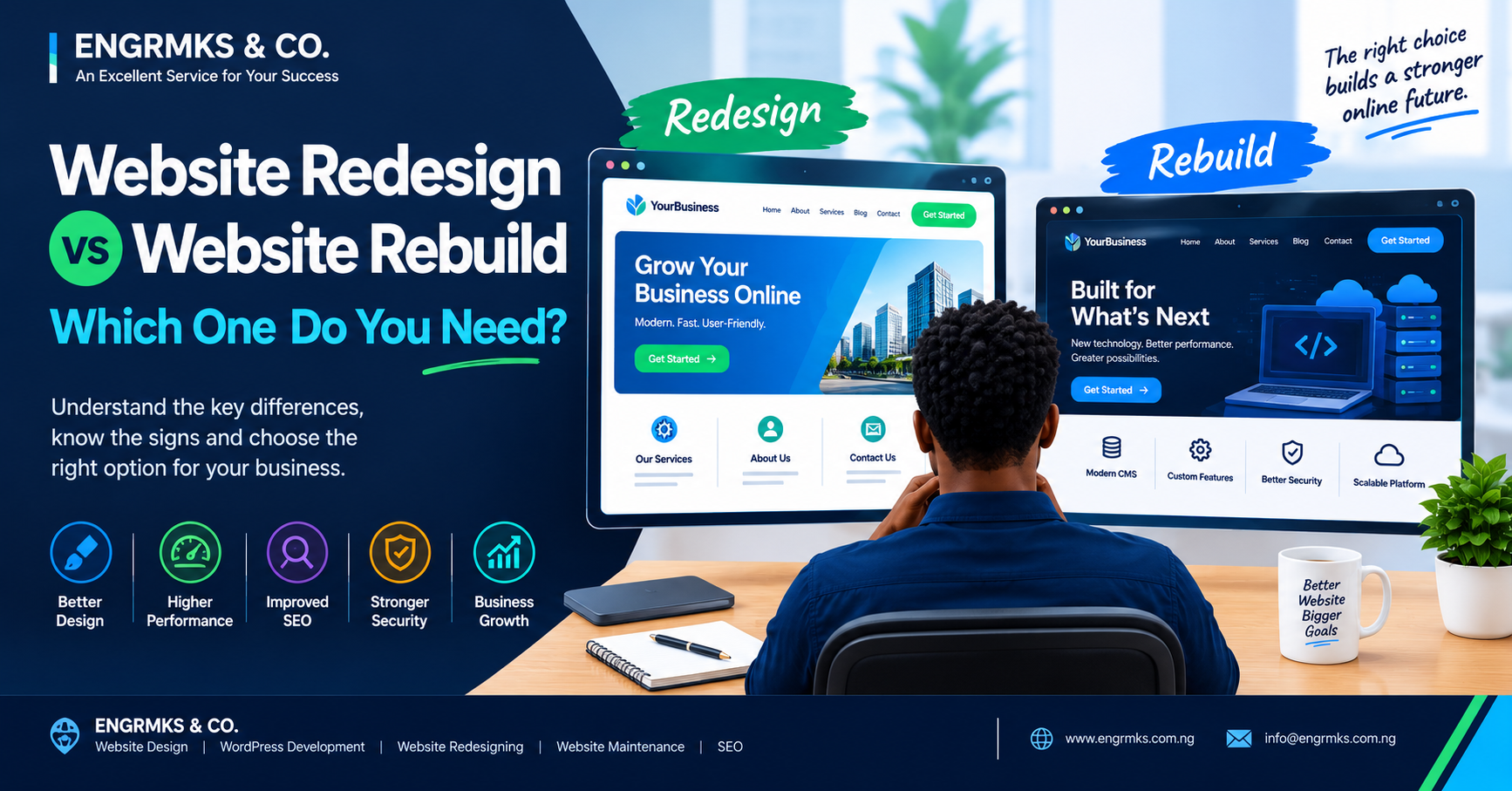
Website Redesign vs Website Rebuild: Which One Do You Need?
If your website is outdated, slow, difficult to manage or no longer generating the results you expect, you may already be considering an upgrade.
But there is an important question to answer before hiring a web developer:
Do you need a website redesign or a complete website rebuild?
The two terms are sometimes used interchangeably, but they can mean very different things.
A website redesign generally focuses on improving an existing website’s appearance, user experience, content structure and selected functionality while keeping much of the underlying website infrastructure.
A website rebuild, on the other hand, is a more extensive project. It may involve replacing the theme, CMS, codebase, database structure, hosting environment, plugins, integrations or even the entire website architecture.
Choosing the wrong approach can waste money, create unnecessary technical problems and potentially affect your SEO.
For Nigerian businesses, bloggers, content creators and news publishers, understanding the difference between website redesign vs website rebuild can help you make a more informed decision.
What Is a Website Redesign?
A website redesign is an improvement of an existing website without necessarily replacing its entire technical foundation.
Think of it as renovating a house rather than demolishing it.
The existing website may remain on the same CMS, domain and general architecture while major areas are improved.
A redesign might include:
- New visual design
- Better typography
- Improved navigation
- Updated colours
- New images
- Better mobile responsiveness
- Improved calls to action
- Better content presentation
- Improved page layouts
- SEO improvements
- Speed optimization
- Better contact forms
- Improved user experience
For example, imagine a WordPress business website that was professionally built several years ago but now looks outdated.
The WordPress installation is stable, the database is healthy, the URLs are valuable and the existing content performs well in Google.
In this situation, completely rebuilding the website may not be necessary.
A carefully planned redesign could deliver the improvements the business needs.
What Is a Website Rebuild?
A website rebuild is much more extensive.
Instead of primarily improving the existing website, the developer may replace significant parts of the system.
A rebuild might involve:
- Replacing the CMS
- Replacing the theme or framework
- Rebuilding the database structure
- Reorganizing URLs
- Replacing plugins
- Rebuilding custom functionality
- Moving to new hosting
- Recreating templates
- Rebuilding the navigation
- Recreating integrations
- Migrating content
- Reconfiguring SEO
- Improving security architecture
A rebuild is appropriate when the existing technology has become a major limitation.
For example, a publisher may have an old custom PHP website that is difficult to maintain, lacks modern SEO functionality and makes publishing new articles unnecessarily complicated.
Moving that website to a modern WordPress publishing platform could be considered a rebuild rather than a simple redesign.
Website Redesign vs Website Rebuild: The Main Difference
The easiest way to understand the difference is:
Redesign = improve the existing website.
Rebuild = replace or fundamentally reconstruct the website’s underlying system.
However, the boundary is not always absolute.
A project can involve elements of both.
For example, a WordPress website could receive a new theme, a completely reorganized site structure, new plugins and a major content migration while keeping the same domain.
That project might reasonably be described as a redesign with a technical rebuild.
The important thing is not the label.
The important thing is understanding what actually needs to change.
When Should You Choose a Website Redesign?
A redesign may be appropriate when the existing website is technically healthy but needs significant improvements.
1. The Website Looks Outdated
If the website looks old but functions correctly, a visual redesign may be sufficient.
You may need:
- Modern layouts
- Better fonts
- Improved spacing
- Updated images
- New branding
- Better navigation
- Improved mobile layouts
There may be no reason to replace the entire technology stack.
2. The Website Works but Has a Poor User Experience
Your website may technically function but still frustrate visitors.
For example:
- Menus are confusing
- Important information is difficult to find
- Contact buttons are hidden
- Pages contain too much information
- Forms are difficult to complete
- Calls to action are unclear
A UX-focused redesign can address these issues.
3. Your Brand Has Changed
Perhaps your company has a new:
- Logo
- Colour scheme
- Slogan
- Service offering
- Business direction
If the underlying website remains reliable, you may only need a redesign.
4. The Website Is Mobile-Friendly but Could Be Better
Not every mobile problem requires a rebuild.
If your existing system supports responsive design, a developer may be able to improve layouts, typography, menus and page elements without replacing the entire website.
5. Your SEO Structure Is Already Strong
If your website has:
- Valuable indexed URLs
- Strong backlinks
- Good organic traffic
- Proper categories
- Healthy internal linking
- A logical URL structure
you should be careful about undertaking an unnecessary rebuild.
A redesign can preserve much of this existing SEO value while improving the user experience.
When Should You Choose a Website Rebuild?
A rebuild becomes more appropriate when the underlying technology is the problem.
1. Your CMS Is Outdated
If your website runs on an obsolete or unsupported content management system, simply changing the design may not solve the problem.
A rebuild can move the website to a more maintainable platform.
For bloggers and news publishers, WordPress can provide a practical publishing environment when properly configured and maintained.
2. The Website Has Too Much Legacy Code
Older websites can accumulate years of:
- Custom code
- Unused scripts
- Abandoned plugins
- Duplicate functionality
- Security vulnerabilities
- Incompatible components
Eventually, modifying the existing system may become more difficult than rebuilding it properly.
3. The Website Is Extremely Difficult to Maintain
Consider a news website where adding an article requires a developer to manually update files.
That is a serious workflow problem.
A publisher should be able to manage routine publishing tasks without constantly depending on a developer.
In this situation, a rebuild may be more appropriate.
4. The Website Has Major Security Problems
If the website has been repeatedly compromised or depends on outdated software that can no longer be properly secured, a rebuild may be necessary.
However, security problems should be diagnosed professionally before deciding to start from scratch.
Simply rebuilding without identifying the original vulnerability may allow the same problem to return.

5. The Website Needs Completely New Functionality
A website originally designed as a simple company profile may no longer be suitable if the business now requires:
- E-commerce
- Membership
- Online bookings
- Learning management
- Customer portals
- Online payments
- Advanced search
- User dashboards
- APIs
- Mobile applications
- Complex databases
When the existing architecture cannot reasonably support the new requirements, rebuilding may be the better approach.
Website Redesign vs Website Rebuild for Bloggers
Bloggers often do not need a complete rebuild.
If your blog is running properly on WordPress and your main problems are:
- Outdated appearance
- Poor typography
- Weak navigation
- Bad mobile layout
- Poor article presentation
- Slow pages
a redesign and optimization project may be sufficient.
However, if the blog has serious database problems, incompatible plugins, outdated software or a poorly constructed theme that prevents further development, a rebuild could make more sense.
Website Redesign vs Website Rebuild for News Publishers
News websites have additional considerations.
A news publisher may have thousands—or even hundreds of thousands—of articles.
That means a rebuild must be approached carefully.
Important considerations include:
- Existing article URLs
- Categories
- Tags
- Author pages
- XML sitemaps
- Internal links
- Images
- Search traffic
- Google Search Console data
- Redirects
- Canonical URLs
- Structured data
- RSS feeds
- News-related integrations
Changing the website without planning these elements can create unnecessary 404 errors and other SEO problems.
For a large news website, the safest approach is usually to audit the existing site before deciding what should be retained, redirected, consolidated or removed.
The SEO Risk of a Website Rebuild
One of the biggest mistakes businesses make is treating a rebuild as purely a design project.
It isn’t.
A website rebuild can affect SEO significantly.
Changing:
example.com/services/web-design
to:
example.com/web-development-services
creates a different URL.
If the old URL has search visibility or backlinks, the migration needs to be handled carefully.
Important SEO considerations include:
Preserve Valuable URLs
Where possible, maintain existing URLs that are already performing well.
Create Proper Redirects
If URLs must change, appropriate redirects should be implemented.
Review Canonical URLs
Make sure canonical tags point to the correct versions of pages.
Update Internal Links
Do not leave internal links pointing to old URLs.
Update XML Sitemaps
The new sitemap should contain the correct URLs.
Monitor Google Search Console
After launch, monitor indexing, coverage, performance and crawl-related issues.
Test Before Launch
A staging environment can help identify problems before the new website becomes publicly accessible.
A Redesign Can Also Affect SEO
Although a redesign is generally less disruptive than a rebuild, it can still cause SEO problems.
For example, a developer might accidentally:
- Delete important pages
- Change URLs
- Remove text
- Remove internal links
- Add
noindex - Block pages through robots.txt
- Change canonical tags
- Remove structured data
- Forget redirects
Therefore, SEO should be part of the redesign process from the beginning.
It should not be added after the new website has already been launched.
How to Decide Which One You Need
Ask these questions.
Question 1: Does the Current Technology Work?
If yes, a redesign may be enough.
If no, consider a rebuild.
Question 2: Is the Main Problem Visual?
If the main issue is appearance, branding or user experience, start with a redesign.
Question 3: Is the CMS Limiting Your Business?
If the platform cannot support your requirements, a rebuild may be appropriate.
Question 4: Is the Website Secure?
If there are serious unresolved security issues, investigate the underlying technology before deciding between redesign and rebuild.
Question 5: Does the Website Have Valuable SEO History?
If the website already has strong organic visibility, valuable URLs and backlinks, avoid unnecessary structural changes.
Question 6: Can the Existing Website Be Maintained?
If developers can still safely update and improve the system, redesigning may be more economical.
If the website has become extremely difficult to maintain, rebuilding may be justified.
Website Redesign vs Website Rebuild: Comparison
| Area | Website Redesign | Website Rebuild |
|---|---|---|
| Visual design | Major improvement | Completely new |
| Existing CMS | Usually retained | May be replaced |
| Existing database | Usually retained | May be restructured |
| URLs | Often retained | May change |
| Content | Usually retained | May require migration |
| Functionality | Improved | Rebuilt or replaced |
| SEO risk | Usually lower | Potentially higher |
| Development effort | Moderate | High |
| Suitable for outdated design | Yes | Yes |
| Suitable for outdated technology | Sometimes | Usually |
| Suitable for major new features | Sometimes | Often |
| Suitable for broken architecture | No | Yes |
The exact scope and cost will depend on the website’s technology, size, functionality and requirements.
What About the Cost?
There is no single price for either a redesign or rebuild.
A small business website with five to ten pages is very different from a news publisher with thousands of articles.
The cost can depend on:
- Number of pages
- CMS
- Design requirements
- Custom functionality
- E-commerce
- Integrations
- Content migration
- SEO migration
- Hosting
- Security
- Database size
- Third-party APIs
- Number of users
- Maintenance requirements
A simple visual redesign may cost significantly less than rebuilding a complex publishing platform.
Instead of asking only:
“How much does a website redesign cost?”
ask:
“What problems need to be solved?”
That produces a much more useful project estimate.
Don’t Rebuild a Website Just Because It Is Old
Age alone is not a sufficient reason to rebuild.
A five-year-old website can still be technically sound.
Meanwhile, a two-year-old website can already have serious problems if it was poorly developed.
Evaluate the actual condition of the website.
Check:
- Performance
- Security
- SEO
- Mobile usability
- Content management
- User experience
- Code quality
- Hosting
- Business requirements
Then decide.
Don’t Redesign a Website That Needs a Rebuild
The opposite mistake is equally expensive.
If the underlying system is broken, simply putting a modern design on top of it may only hide the problem temporarily.
For example, if an old publishing system has:
- Serious security problems
- Unsupported software
- Broken database architecture
- Unmaintainable code
- Poor integrations
a visual redesign may not solve the fundamental problem.
You may end up spending money twice.
The Best Approach: Audit First
Before choosing between redesign and rebuild, conduct a website audit.
A professional audit should examine at least six areas:
1. Design Audit
Is the website modern and consistent with the brand?

2. UX Audit
Can visitors easily find what they need?
3. Technical Audit
Is the technology stable, secure and maintainable?
4. SEO Audit
Are important pages crawlable, indexable and properly structured?
5. Performance Audit
Are pages loading efficiently on mobile and desktop?
6. Business Audit
Is the website actually helping achieve business objectives?
The result should be a clear list of problems and recommended solutions.
Only then should you decide whether to redesign or rebuild.
A Practical Decision Guide
Choose a website redesign when:
- The technology is stable.
- The website is secure.
- The CMS still meets your needs.
- The main problems are visual.
- Navigation needs improvement.
- Mobile layouts need improvement.
- Branding has changed.
- Content needs better presentation.
- SEO architecture is generally healthy.
Consider a website rebuild when:
- The CMS is obsolete.
- The codebase is difficult to maintain.
- Security problems are fundamental.
- The database architecture is inadequate.
- The current system cannot support new functionality.
- The publishing workflow is inefficient.
- Major integrations need replacing.
- The existing platform prevents future growth.
What Nigerian Businesses and Publishers Should Remember
For Nigerian businesses, bloggers and publishers, your website is more than an online brochure.
It may be connected to your:
- Google Search traffic
- Social media campaigns
- WhatsApp enquiries
- Advertising
- Online sales
- Customer support
- Lead generation
- Brand reputation
- Content publishing
That means a redesign or rebuild should be treated as a business project—not merely a graphic design exercise.
Before making major changes, back up the website, document existing URLs, review analytics, check Google Search Console and identify pages that already attract significant traffic.
This is particularly important for established news publishers.
Final Thoughts
The decision between website redesign vs website rebuild should be based on the actual condition of your website—not simply how old it looks.
If the technology is healthy but the design, navigation, mobile experience or branding needs improvement, a redesign may be the appropriate solution.
If the underlying technology is outdated, insecure, difficult to maintain or incapable of supporting your future requirements, a rebuild may be more appropriate.
The most important step is to audit before you decide.
A professional website audit can reveal whether your existing website needs a new look, better performance, improved SEO, a technical upgrade—or a completely new foundation.
For bloggers, content creators and news publishers, this assessment becomes even more important because changing URLs, removing content or restructuring a large website can affect years of accumulated search visibility.
The goal should not be to build a website that merely looks newer.
The goal should be to create a website that is faster, easier to use, easier to manage, more secure, search-friendly and better aligned with your business or publishing objectives.
Frequently Asked Questions
What is the difference between a website redesign and a website rebuild?
A redesign generally improves an existing website’s appearance, usability and selected functionality, while a rebuild involves replacing or fundamentally restructuring significant parts of the website’s underlying technology.
Is it better to redesign or rebuild a website?
Neither option is universally better. The appropriate choice depends on the website’s technical condition, business requirements, SEO history, security, functionality and future plans.
How do I know if my website needs a rebuild?
A rebuild may be appropriate when the CMS is outdated, the code is difficult to maintain, security problems are fundamental or the existing platform cannot support the functionality your business now requires.
Can I redesign my website without changing the URL?
Yes. A redesign can often retain the existing domain and page URLs, which can reduce unnecessary SEO disruption.
Will rebuilding my website hurt SEO?
It can if the migration is poorly planned. Changing URLs, deleting indexed pages, losing internal links or incorrectly configuring redirects can cause search visibility problems.
Should I redesign my WordPress website or rebuild it?
If WordPress itself is working well and the main problems involve design, navigation, performance or content presentation, a redesign may be sufficient. If the installation has serious technical, security or architectural problems, a rebuild may be more appropriate.
Do news websites need special planning when being rebuilt?
Yes. News websites often have large numbers of URLs, categories, authors, archives and articles. URL preservation, redirects, sitemaps, internal linking and SEO migration should be carefully planned.
How much does a website redesign or rebuild cost in Nigeria?
There is no universal price. The cost depends on the size, technology, functionality, content migration, integrations, SEO requirements, hosting and development work involved.
What should I do before rebuilding my website?
Back up the existing website, audit its technical and SEO performance, document important URLs, identify valuable pages, review analytics and Search Console data, and prepare a migration plan before development begins.