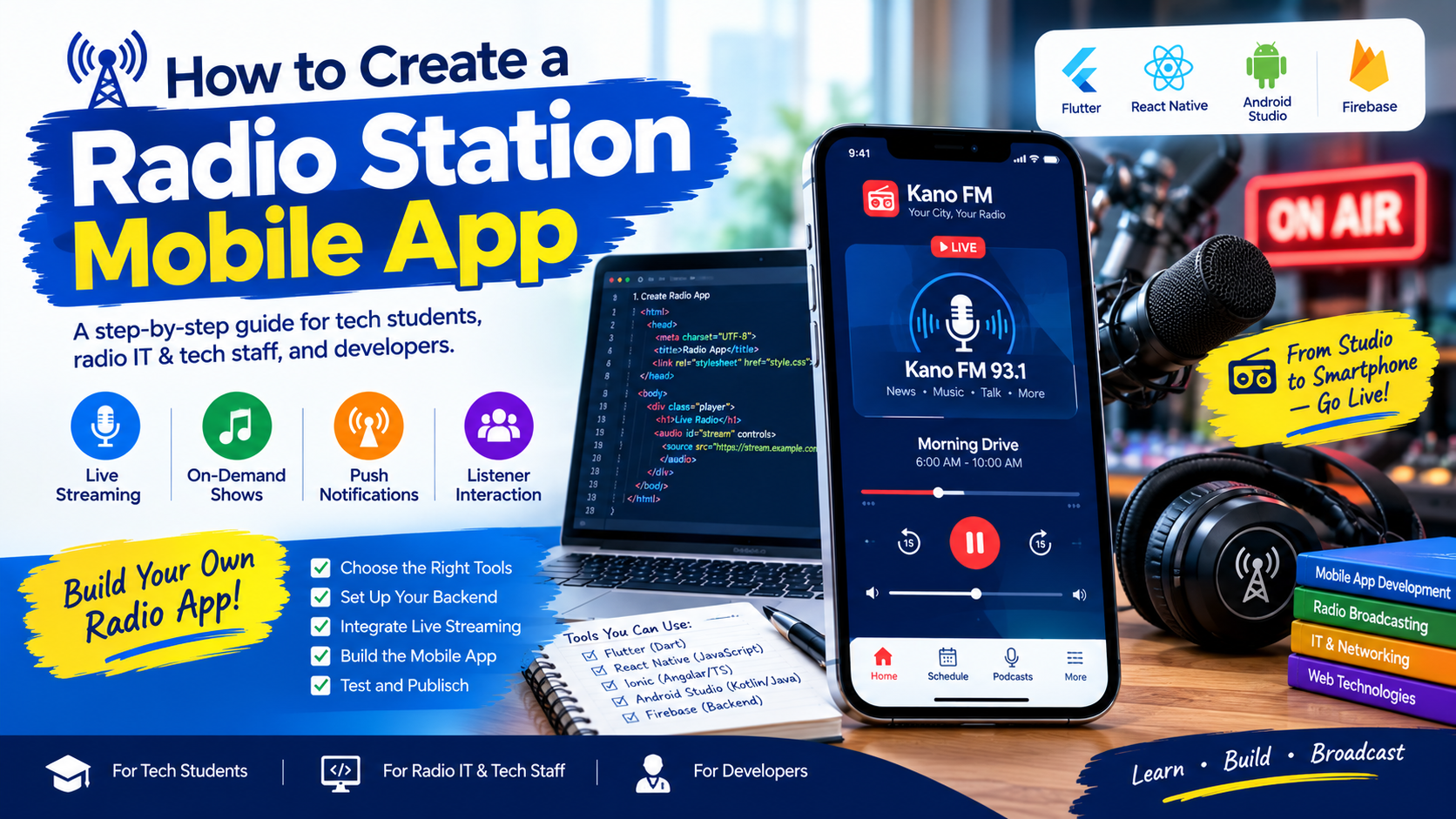
How to Create a Radio Station Mobile App: A Step-by-Step Guide
Radio broadcasting is no longer limited to traditional FM receivers. Today, listeners can access their favourite radio stations through smartphones, tablets, computers and smart devices. For radio stations, this creates an opportunity to reach audiences beyond their normal broadcast coverage.
Whether you are a technology student, radio IT officer, broadcast engineer or software developer, learning how to create a radio station mobile app can help you connect traditional broadcasting with modern digital technology.
A radio mobile app can provide live audio streaming, programme schedules, presenter profiles, podcasts, listener feedback, push notifications and other interactive features.
This guide explains the essential steps, technologies and considerations involved in developing a mobile application for an FM or online radio station.
What Is a Radio Station Mobile App?
A radio station mobile app is an application that allows listeners to access a radio station’s services through a smartphone or tablet.
Depending on its design, the application may stream a station’s live broadcast, display programme schedules, publish recorded programmes, share news updates and allow listeners to contact presenters.
For example, an FM station in Kano, Abuja, Kaduna or another Nigerian city can use a mobile app to reach listeners living outside its terrestrial broadcast coverage, provided they have a suitable internet connection.
Unlike a traditional FM receiver, an internet radio app normally relies on mobile data or Wi-Fi to receive its audio stream.
1. Define the Purpose and Features of the App
Before writing code or choosing a development platform, determine what the application should achieve.
A simple radio app may only need a live audio player and basic station information. A larger broadcasting platform may require an extensive content management system and listener engagement tools.
Consider including the following features:
- Live radio streaming: Allows listeners to listen to the station in real time.
- Programme schedule: Displays upcoming programmes and broadcast times.
- Background playback: Allows audio to continue while the user opens another app or locks the phone.
- Now Playing information: Displays the current programme, presenter or track when this information is available.
- Podcasts and recorded programmes: Gives listeners access to previously broadcast content.
- Push notifications: Announces special programmes, breaking news and important station updates.
- Contact and feedback: Provides phone numbers, email addresses and listener message options.
- Social media integration: Links to the station’s official social media accounts.
- Sleep timer and playback controls: Improves listening convenience.
Start with the essential features and add more advanced functions after testing the first version.
2. Choose the Right Mobile App Development Technology
Your development platform determines how you build, test and maintain the application.
Flutter
Flutter is a cross-platform development framework that uses the Dart programming language. It allows developers to build applications for Android and iOS from a shared codebase.
It can be useful for radio stations that want a consistent design across multiple mobile platforms.
React Native
React Native allows developers to build mobile applications using JavaScript or TypeScript and React concepts. It is another option for creating Android and iOS applications from a shared codebase.
Native Android development
Android Studio, Kotlin and Android’s native development tools are suitable for developers who want to focus on Android-specific features and platform integration.
Native iOS development
For applications focused on Apple’s platforms, developers can use Swift and Apple’s development tools.
The choice depends on your team’s skills, budget, maintenance requirements and desired features. Cross-platform development can reduce duplicated work, but audio playback, notifications and background execution still require proper platform-specific implementation.
3. Obtain a Reliable Live Audio Stream
The live stream is one of the most important components of a radio application.
Your mobile app needs an accessible audio stream from the station’s broadcasting or internet streaming infrastructure.
Common streaming technologies include Icecast and SHOUTcast, which can distribute live audio over the internet. Your streaming provider may also offer its own compatible streaming service.
Before integrating the stream, confirm:
- The correct streaming URL.
- The supported audio format and codec.
- Whether the stream uses HTTPS.
- The expected number of simultaneous listeners.
- Whether the stream is publicly accessible.
- Whether the streaming service provides reliable uptime.
- Whether the provider supplies metadata for the current programme or track.
Test the stream using a browser or compatible audio player before connecting it to the app.
Important: Do not assume that a website’s homepage URL is the same as its live audio stream URL. Your developer needs the actual streaming endpoint.

4. Design the App Interface
A radio app should be simple enough for listeners to operate without technical assistance.
The home screen should make the main listening controls easy to find.
A typical layout may include:
- Station logo and name.
- A prominent Play or Pause button.
- Live status indicator.
- Current programme or presenter information.
- Programme schedule.
- Podcasts or recorded shows.
- Contact details and social links.
Use the station’s official colours, logo and visual identity to create a consistent experience.
Pay attention to text readability, button sizes, screen layouts and accessibility. Test the design on different phone sizes and avoid unnecessary animations that distract from the listening experience.
5. Build the Live Audio Player
The audio player connects the user interface to the station’s streaming endpoint.
A properly implemented player should support play, pause, buffering indicators, error messages and recovery when connectivity is interrupted.
For Android and iOS, select a playback library that supports the required streaming format and background audio behaviour.
The app should also handle situations such as:
- Poor mobile network coverage.
- The listener receiving a phone call.
- The user locking the screen.
- The stream becoming unavailable.
- The listener switching between Wi-Fi and mobile data.
- Audio playback being interrupted by another application.
Do not simply play the stream inside a basic web view and assume that it will work reliably in the background. Native playback integration and appropriate audio-session or media-service configuration may be necessary.
Test these behaviours on real devices before release.
6. Create a Backend for Dynamic Content
A basic radio app can work with a fixed stream URL and static station information. However, a more advanced application benefits from a backend that allows station staff to update content without releasing a new app version.
The backend may manage:
- Programme schedules.
- Presenter profiles.
- News articles.
- Podcast listings.
- Station announcements.
- Push notification content.
- Listener feedback.
- Streaming URLs and fallback streams.
You can build a custom backend using technologies such as PHP and MySQL, Node.js and a suitable database, or another server-side platform.
For example, a radio station that already operates a PHP-based website may be able to reuse parts of its existing infrastructure through a secure API.
Keep administrative functions protected with authentication and authorization. Validate user input and avoid exposing database credentials, private API keys or administrative endpoints in the mobile application.
7. Add Programme Schedules and Podcasts
A programme schedule helps listeners discover what is currently broadcasting and what will be available later.
For a Nigerian radio station, the schedule might include morning news, political discussions, educational programmes, sports, entertainment and religious programming.
Store schedule information in a consistent format, including programme name, presenter, description, start time and end time.
Pay attention to time zones. If the station operates in Nigeria, its displayed local schedule should use West Africa Time (WAT), UTC+1.
Podcasts and recorded programmes can increase the value of the app by allowing listeners to catch up on content they missed.
Make sure the station has the necessary rights and permissions to distribute recorded programmes, music and other audio content.
8. Integrate Push Notifications
Push notifications can inform listeners about special broadcasts, breaking news, programme changes and upcoming interviews.
Services such as Firebase Cloud Messaging can be used to deliver notifications to supported Android and Apple devices through the appropriate integrations.
Notifications should be relevant, timely and easy to understand. Avoid sending excessive messages, and provide clear controls for managing notification preferences where appropriate.
Do not request permissions without explaining the benefit to the listener.
9. Test the Application Thoroughly
Testing should cover more than whether the app opens and plays audio on one phone.

Before launch, test:
- Audio playback on Wi-Fi and mobile data.
- Slow and unstable internet connections.
- Background playback and screen locking.
- Phone calls and audio interruptions.
- Different Android devices and screen sizes.
- iOS compatibility, if supported.
- App navigation and programme schedules.
- Broken links and unavailable streams.
- Battery consumption and memory use.
- Privacy, permissions and data security.
Also test the app with people who were not involved in development. Their feedback can reveal confusing controls and missing information.
10. Publish the App on Google Play and the Apple App Store
When the application is ready, prepare the required store listings and release materials.
For Google Play, developers generally need a Play Console account, an app package, a suitable application icon, screenshots, a description, a privacy policy where required, and compliance with applicable platform policies.
For Apple’s App Store, you will need the appropriate Apple developer access, app metadata, screenshots and compliance with Apple’s review requirements.
Store policies and technical requirements can change, so consult the official documentation before submission.
Provide an accurate description of the app’s features. Do not claim that the app offers offline live radio if it requires an internet connection.
After publishing, monitor crashes, user feedback, stream availability and app updates.
11. Maintain and Improve the App
Publishing is not the end of development.
A radio station should regularly check whether its stream is available, whether the app works with current operating system versions and whether listeners encounter technical problems.
Maintain the backend, renew relevant services, update dependencies, review security settings and keep a record of issues reported by users.
Monitor app performance and use privacy-respecting analytics where appropriate. Useful measurements may include active listeners, playback failures, session duration and popular programme sections.
Use this information to improve reliability and usability rather than collecting unnecessary personal data.
Conclusion
Creating a radio station mobile app involves much more than designing a screen with a Play button. A successful project combines reliable live streaming, a clear user interface, appropriate mobile development technology, secure backend services, thorough testing and ongoing maintenance.
For technology students, the project offers practical experience in mobile development, APIs, networking and audio streaming. For radio IT staff and developers, it provides a way to extend a station’s reach beyond traditional broadcast coverage.
Start with a reliable stream and a simple player, then introduce programme schedules, podcasts, notifications and other features as the project grows.
With careful planning and regular maintenance, a radio station mobile app can become a useful digital platform for connecting broadcasters with listeners wherever an internet connection is available.