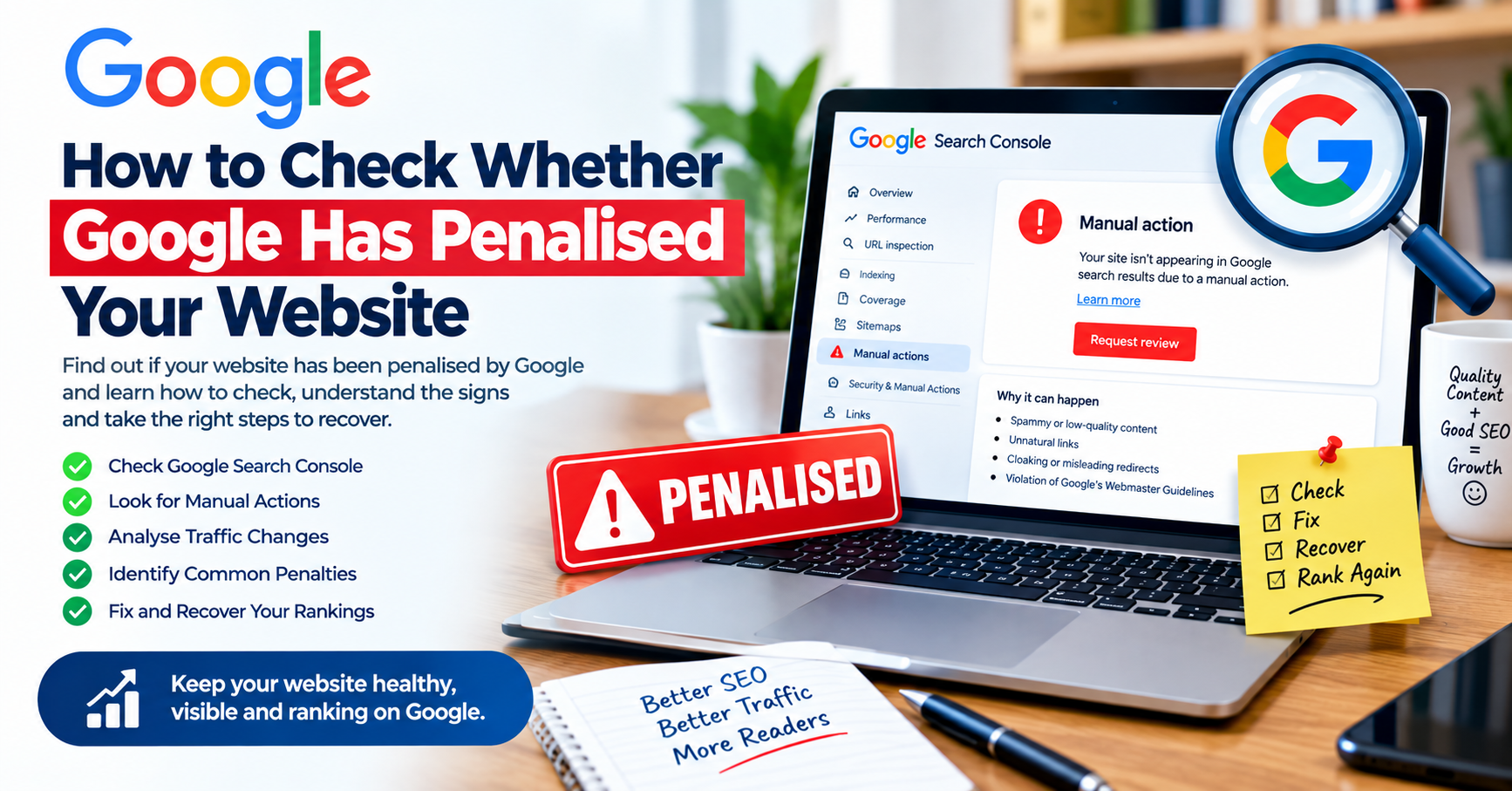
How to Check Whether Google Has Penalised Your Website
Have your website’s Google traffic suddenly dropped? Are your articles no longer appearing for keywords they previously ranked for? Has your website disappeared from Google Search, leaving you wondering whether Google has penalised your website?
A sudden decline in rankings can be alarming, especially for bloggers, news publishers and content creators who depend on organic search traffic. However, a traffic or ranking drop does not automatically mean that Google has issued a penalty.
Google can change search rankings for many reasons, including algorithm updates, technical SEO problems, indexing issues, increased competition, changes in search behaviour, or problems with your website. A genuine manual penalty is different: Google can issue a manual action when a human reviewer determines that a website violates Google’s spam policies.
The good news is that you can check your website and determine whether a manual action exists.
In this guide, you’ll learn how to check whether Google has penalised your website, how to identify warning signs, what to do if you receive a manual action, and how to protect your website from future SEO problems.
What Does It Mean When Google Penalises a Website?
The word “penalty” is commonly used to describe a situation where a website loses visibility in Google Search.
Technically, however, one of the clearest forms of a Google penalty is a manual action.
Google explains that manual actions are issued when a human reviewer determines that pages on a website do not comply with Google’s spam policies. Depending on the problem, the action can affect specific pages or a much larger portion of a website.
Examples of problems that can result in manual actions include:
- Unnatural or manipulative links
- Thin content with little or no added value
- Cloaking
- Sneaky redirects
- Keyword stuffing
- Hidden text
- User-generated spam
- Spammy structured data
- Scaled or aggressive spam techniques
- Some deceptive practices affecting Google Search, News or Discover
Therefore, before assuming that Google has penalised your website, you should investigate the evidence.
How to Check Whether Google Has Penalised Your Website
The first and most important place to check is Google Search Console.
1. Open Google Search Console
Sign in to Google Search Console and select the website property you want to investigate.
If you have not already verified your website, you will need to add and verify the property before Search Console can provide its reports.
Google recommends Search Console as a key tool for monitoring search performance, indexing, security problems and manual actions.
2. Check the Manual Actions Report
Inside Google Search Console, look for:
Security & Manual Actions → Manual Actions
This is one of the most important steps when checking for a Google penalty.
If your website has a manual action, Google will show information about the issue in this report. Google also states that affected site owners can receive notifications through Search Console and email.
If there are no manual actions, Search Console should indicate that there are no issues.
That is important because it means you should investigate other possible causes if your rankings or traffic have declined.
3. Examine the Type of Manual Action
If Google has issued a manual action, do not immediately panic.
Expand the warning in Search Console and carefully read the information provided.
Google’s report can identify:
- The type of violation
- Examples or patterns of affected URLs
- Whether part or all of the website is affected
- Additional information about the problem
- Recommended steps for resolving the issue
The affected pages can sometimes represent only a section of your website rather than the entire domain.
For a news website, for example, a problem may affect a particular group of pages rather than every article.
Signs That Your Website May Have a Google SEO Problem
A manual action is not the only reason a website can lose Google traffic.
Nevertheless, there are several warning signs worth investigating.
1. Organic Traffic Suddenly Drops
A significant decline in traffic from Google can indicate that something has changed.
However, traffic loss alone does not prove that your website has been penalised.
Check whether the decline affected:
- The entire website
- Specific categories
- Individual articles
- Specific keywords
- Google Discover
- Google News
- Image Search
- Mobile search
- Desktop search
This information can help you determine whether the problem is technical, algorithmic, competitive or related to a manual action.
2. Important Pages Disappear From Google
Search Google for important pages and keywords associated with your website.
For example, you can search:
site:yourdomain.com
This can give you a general indication of how much of your website is appearing in Google’s index.
If important pages suddenly disappear, investigate further using Search Console rather than assuming that a penalty is responsible.
3. Your Search Console Performance Changes Dramatically
Open the Performance report in Google Search Console.
Compare your recent:
- Clicks
- Impressions
- Average position
- Click-through rate
with an earlier period.
For news publishers and bloggers, this comparison can be particularly useful because it may show whether the decline happened gradually or suddenly.
A sudden change can justify further investigation, but it should not automatically be interpreted as a penalty.
Check the Google Search Console Security Issues Report
A website can also lose visibility because it has been hacked or compromised.

In Search Console, check:
Security & Manual Actions → Security Issues
Google says the Security Issues report can identify indications that a website has been hacked or contains behaviour that could potentially harm visitors, such as phishing or malware.
This is particularly important for WordPress websites.
A hacked website may contain:
- Spam pages
- Hidden links
- Malware
- Unwanted redirects
- Phishing pages
- Automatically generated spam
- Suspicious JavaScript
- Unauthorised users or administrators
If your website has suddenly started displaying strange content, investigate security problems immediately.
Check Whether Your Website Is Still Indexed
Another useful test is to search Google for your domain using:
site:yourdomain.com
You can also search for specific URLs or article titles.
If some pages are missing, investigate them individually using Search Console’s URL Inspection tool.
URL Inspection can help you understand Google’s status for a specific URL and whether Google can access and index the page.
Remember that one missing page does not necessarily mean that the entire website has been penalised.
Check for Technical SEO Problems
Sometimes what looks like a Google penalty is actually a technical SEO problem.
Check whether your website has recently experienced:
- Robots.txt changes
- Incorrect
noindextags - Canonical URL problems
- Broken redirects
- Server downtime
- 404 errors
- 500 server errors
- Website migration problems
- Domain changes
- HTTPS configuration problems
- Sitemap errors
- Hosting problems
For example, if a WordPress update or plugin accidentally adds a noindex directive to important pages, Google may stop indexing those pages.
That is an SEO problem, but it is not necessarily a Google penalty.
Check Your Website After Major Google Algorithm Updates
Google regularly updates its search systems.
Consequently, a website can experience ranking changes without receiving a manual action.
If your Search Console Manual Actions report is clean but your traffic has fallen sharply, investigate whether a Google search ranking update occurred around the same time.
You should also examine your content quality, search intent, internal linking, technical SEO and competitors.
Avoid making large numbers of changes simply because traffic has declined for a few days.
Instead, collect evidence first.
Common Reasons Websites Lose Google Rankings
Here are some common explanations for a ranking decline:
Poor or Unhelpful Content
Content that provides little original value may struggle to perform well.
Bloggers and publishers should focus on producing useful, accurate and genuinely informative articles rather than creating large quantities of pages simply to attract search traffic.
Keyword Stuffing
Repeating the same keyword excessively can make content unnatural and may violate Google’s spam policies in certain circumstances.
Use keywords naturally and write primarily for readers.
Manipulative Link Building
Buying or creating links specifically to manipulate Google’s rankings can violate Google’s spam policies.
Google’s manual action documentation specifically identifies unnatural and manipulative links as a potential cause of manual action.
Cloaking
Cloaking occurs when search engines are shown substantially different content from what users receive.
This is a serious issue and can result in a manual action.
Scraped or Duplicate Content
Publishing content copied from other websites without meaningful added value can create quality and spam concerns.
News publishers should be especially careful when republishing material from press releases, agencies or other publications.
Add original reporting, context, analysis, quotations, verification and useful information where appropriate.
What to Do If Google Has Issued a Manual Action
If Search Console confirms that your website has a manual action, follow Google’s instructions carefully.
Step 1: Read the Warning
Identify exactly what Google says is wrong.
Do not make random SEO changes before understanding the problem.
Step 2: Identify Affected Pages
Determine whether the problem affects:
- One page
- A category
- A directory
- Several page types
- Or the entire website
Step 3: Remove or Correct the Violation
Fix the actual problem.
For example, this could involve:
- Removing spam content
- Cleaning up hacked pages
- Correcting misleading structured data
- Removing manipulative links
- Fixing cloaking
- Improving thin content
- Removing keyword stuffing
- Cleaning user-generated spam
Step 4: Document Your Changes
Keep a record of what you changed.
This is especially useful for larger websites and news publishers where multiple editors, writers or developers may have access to the website.
Step 5: Request a Review
After correcting the problem, use Request Review in the Manual Actions report.
Google says the review request should explain what was fixed and demonstrate that the website is no longer violating the relevant policies.
Do not submit a review request before the problem has actually been addressed.
Should You Worry If There Is No Manual Action?
Not necessarily.
If the Manual Actions report is clean, a traffic decline may have another explanation.

Investigate:
- Google Search Console Performance
- Page indexing
- URL Inspection
- Security Issues
- Robots.txt
- XML sitemap
- Canonical tags
- Website speed and availability
- Recent website changes
- Content quality
- Competitor activity
- Search demand
- Google ranking updates
This approach prevents you from incorrectly diagnosing every ranking decline as a Google penalty.
How News Publishers Can Avoid Google Penalties
News publishers should establish a strong editorial and technical SEO process.
Publish Original and Useful Journalism
Avoid filling your website with copied material.
Where appropriate, provide original reporting, attribution, context and additional value.
Monitor User-Generated Content
If your website allows comments, forums or user profiles, monitor them for spam.
Google’s manual-action documentation specifically identifies user-generated spam as an issue that site owners should monitor and clean up.
Secure Your WordPress Website
Keep WordPress, themes and plugins updated.
Use strong administrator passwords, limit unnecessary administrator accounts and monitor your website for suspicious activity.
Monitor Search Console Regularly
Do not wait until traffic disappears before checking Search Console.
Regular monitoring makes it easier to identify problems early.
How Bloggers Can Protect Their Google Rankings
Bloggers should focus on sustainable SEO rather than shortcuts.
Avoid:
- Buying backlinks
- Keyword stuffing
- Automatically generating large amounts of low-value content
- Creating doorway pages
- Hiding keywords
- Using deceptive redirects
- Publishing copied content without added value
Instead, focus on useful content, clear website structure, relevant internal links, accurate information and a good reader experience.
Google Penalty vs Ranking Drop
It is important to understand the difference.
| Situation | What It May Mean |
|---|---|
| Manual Actions report shows an issue | Google has identified a policy violation through a manual action |
| Manual Actions report is clean | Your traffic decline may have another cause |
| Traffic gradually declines | Competition, content, demand or ranking changes may be involved |
| Pages disappear from the index | Investigate indexing and technical problems |
| Website displays malware warnings | Investigate Security Issues immediately |
| Rankings fall after major search changes | Investigate algorithm/ranking changes |
| One page stops ranking | Investigate that page individually |
The key lesson is simple: do not call every Google ranking decline a penalty.
Frequently Asked Questions
How do I know if Google has penalised my website?
The first place to check is Google Search Console’s Manual Actions report. If Google has issued a manual action, the report will provide information about the problem and affected pages.
Does a traffic drop mean Google penalised my website?
No. A traffic drop can have many causes, including technical problems, algorithm changes, competition, changing search demand and content-related issues. A manual action should be confirmed through Search Console.
Can a WordPress plugin cause a Google penalty?
A plugin itself does not automatically cause a Google penalty. However, a poorly configured or compromised plugin could contribute to technical problems, spam, redirects, cloaking or security issues that affect search visibility.
How long does it take to recover from a Google penalty?
There is no universal recovery time. It depends on the type and severity of the issue, how thoroughly it was corrected and Google’s review process.
Can a hacked website lose Google rankings?
Yes. Hacked websites can contain spam, malware, phishing or other harmful content. Google provides a Security Issues report in Search Console to help site owners identify security-related problems.
Final Thoughts
If your website suddenly loses Google traffic, do not immediately assume that Google has penalised you.
Start with Google Search Console.
Check the Manual Actions report, review Security Issues, examine your search performance and inspect affected URLs. If Google has issued a manual action, carefully follow the instructions, fix the underlying problem and request a review when the website is compliant.
For Content Creators, News Publishers and Bloggers, the best long-term SEO strategy is to focus on valuable content, ethical SEO practices, website security and regular technical monitoring.
A clean Search Console Manual Actions report is an important signal, but it is only one part of diagnosing a ranking or traffic problem. The goal should be to identify the actual cause rather than making assumptions about a Google penalty.
Quick Google Penalty Check Checklist
Before concluding that Google has penalised your website, check:
☐ Google Search Console Manual Actions
☐ Search Console Security Issues
☐ Organic traffic and impressions
☐ Important keyword rankings
☐ Page indexing status
☐ URL Inspection
☐ Robots.txt
☐ XML sitemap
☐ Canonical tags
☐ noindex settings
☐ Recent WordPress changes
☐ Recent plugin/theme changes
☐ Website security
☐ Content quality
☐ Unnatural backlinks
☐ Major Google search changes
If you work through this checklist systematically, you can usually narrow down whether you are dealing with a genuine manual action, a technical SEO problem, a security issue or an ordinary change in search visibility.