What Happens When You Don’t Maintain Your Website?
A website is not a “set it and forget it” investment.
Whether you run a blog, news website, business website, online magazine or content platform, your website requires regular maintenance to remain secure, fast, functional and useful to visitors.
Read also: Why Google Is Not Indexing My New Articles? 12 Reasons and How to Fix It
Unfortunately, many website owners only think about maintenance when something goes wrong. A website may continue to appear online for months while its software becomes outdated, links stop working, pages become slower, security vulnerabilities accumulate and content becomes obsolete.
For content creators, bloggers and news publishers, neglecting website maintenance can have an even bigger impact because website performance, search visibility, reader experience and revenue are closely connected.
So, what happens when you don’t maintain your website?
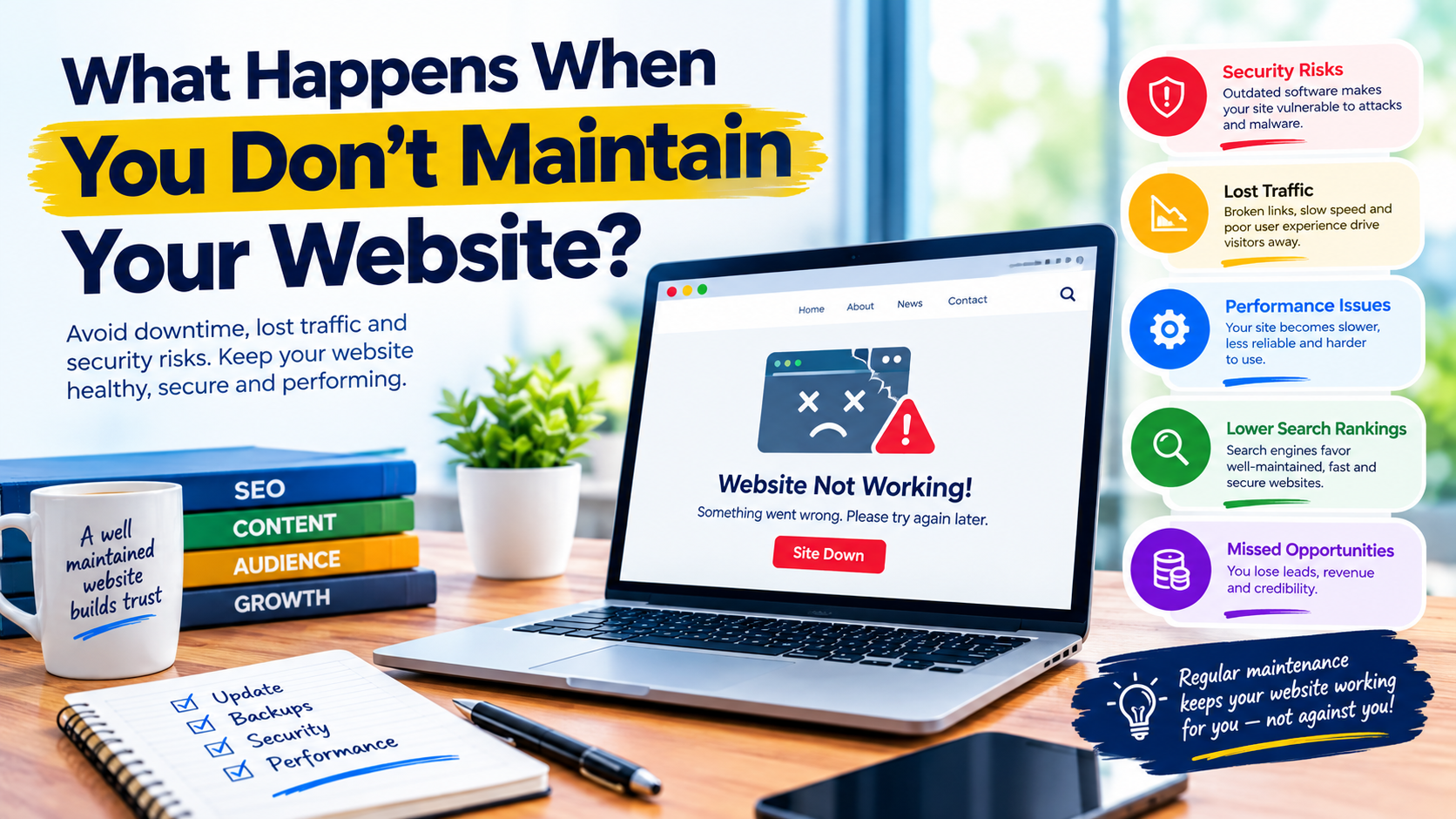
You may experience security problems, broken functionality, slower pages, declining user engagement, technical SEO issues, lost traffic and even unexpected downtime.
Here are the major consequences every website owner should understand.
1. Your Website Becomes More Vulnerable to Security Threats
One of the biggest risks of neglecting website maintenance is security.
Websites rely on software, including content management systems, themes, plugins, server software and other components. These components can receive security updates when vulnerabilities are discovered.
For WordPress websites, the official WordPress security guidance recommends keeping WordPress itself, themes and plugins up to date and choosing software that is actively maintained.
When updates are ignored for long periods, known vulnerabilities may remain unpatched.
For a publisher, a compromised website can cause serious problems, including:
- Unwanted redirects
- Spam pages
- Suspicious advertisements
- Defaced pages
- Malware warnings
- Unauthorised administrator accounts
- Loss of website data
- Search visibility problems
Regular maintenance helps reduce these risks.
2. Your Website Can Become Slower
Website speed can deteriorate over time.
As websites grow, they may accumulate large images, unnecessary plugins, outdated scripts, excessive database records, advertising scripts and other resources.
A website that was fast when it launched may not remain fast if it is never reviewed.
Slow pages can frustrate visitors, particularly mobile users.
Google’s current page-experience guidance recommends paying attention to factors including Core Web Vitals, mobile usability, secure connections and intrusive elements. Google also makes clear that page experience is broader than achieving a perfect score in one testing tool.
For publishers, this is particularly important because readers often visit several stories in a single session.
If every page takes too long to load, visitors may leave before reading the content.
3. Broken Links Start Appearing
Websites change constantly.
External websites disappear, URLs change, articles are moved and pages are deleted.
Your own website can also develop broken links after changing categories, deleting posts or redesigning the site.
Broken links can create a poor experience for visitors.
Imagine reading an article and clicking a link for more information, only to receive a 404 error.
One broken link may not be serious, but hundreds of broken links across a large website can make the site appear neglected.
Regular maintenance should include checking important internal and external links and fixing links that no longer work.
4. Outdated Content Can Reduce Your Website’s Value
For bloggers and publishers, website maintenance is not only about software.
Content maintenance matters too.
Information changes.
Statistics become outdated. Prices change. Government policies change. Technology evolves. People move into new positions. Products are discontinued.
An article that was accurate three years ago may no longer provide the same value today.
Review important evergreen content periodically.
Ask:
- Is the information still accurate?
- Are the statistics current?
- Do the links still work?
- Are screenshots outdated?
- Has the topic changed?
- Can additional information improve the article?
- Does the title accurately represent the current content?
Updating useful content can improve its value to readers.
However, don’t change publication dates or rewrite articles simply to make them appear fresh when no meaningful update has been made. The goal should be improving the content, not creating the appearance of freshness.
5. Your SEO Performance Can Suffer
Website maintenance and SEO are closely connected.
Search engines need to crawl and understand your website, while visitors need to access and use your pages successfully.
Technical problems can interfere with that process.

Potential issues include:
- Pages accidentally marked
noindex - Broken canonical URLs
- Incorrect redirects
- Server errors
- Missing pages
- Poor mobile experience
- Slow-loading pages
- Broken internal links
- Incorrect sitemap configuration
- Security problems
Google recommends using Search Console to monitor how your website performs in Google Search and whether Google can index your pages.
This is why website maintenance should be considered part of your broader SEO strategy rather than a separate task.
6. Your Search Rankings May Be Affected by Technical and Quality Problems
It is important to avoid the misconception that every maintenance issue automatically causes a ranking penalty.
Google Search considers many factors, and Google says that page experience is not represented by a single ranking signal. Reaching a perfect Core Web Vitals score, for example, does not guarantee top rankings.
Nevertheless, serious technical problems can make a website difficult for users and search engines to access.
Security issues can also be particularly serious. Google maintains security-related Search guidance and provides tools through Search Console to help website owners identify problems.
Additionally, websites should avoid practices that violate Google’s spam policies, since violations can result in lower visibility or removal from Search.
The practical lesson is simple:
Don’t treat SEO as something you do once. Maintain the technical and editorial health of the website continuously.
7. Plugins and Themes Can Stop Working Properly
This is especially relevant to WordPress publishers.
A website may depend on dozens of plugins and one or more themes.
Over time, software can become incompatible with other components if it is not maintained.
You might experience:
- Broken forms
- Missing images
- Layout problems
- Failed payment functions
- Errors in the WordPress dashboard
- Broken menus
- Failed social sharing
- Problems with advertisements
- Slow administrative pages
WordPress recommends keeping plugins and themes updated and advises maintaining current backups before updates.
Maintenance therefore involves both updating software and testing the website afterward.
Never assume that an update completed successfully simply because there was no obvious error message.
Read also: How to Recover Website Traffic After a Google Algorithm Update
Visit the website and test important functions.
8. Your Website Could Experience Unexpected Downtime
Hosting problems, expired domains, DNS errors, database problems and software conflicts can all contribute to downtime.
If nobody monitors the website, an outage may remain unnoticed for hours.
For a news publisher, this can mean losing traffic during an important breaking-news event.
For a business, it could mean losing potential customers.
For a blogger, it could mean missed advertising revenue.
Website maintenance should therefore include uptime monitoring and periodic checks of:
- Domain registration
- Hosting account
- SSL certificate
- DNS configuration
- Database health
- Server resources
- Backup status
A website that is online today should not be assumed to remain healthy indefinitely.
9. Your Backups May Not Be Reliable
Many website owners say:
“I have a backup.”
But the more important question is:
Can you actually restore the website from that backup?
A backup that is incomplete, corrupted or stored on the same server as the website may not be enough when a serious problem occurs.
WordPress recommends backing up a site before major updates so that it can be restored if something goes wrong.
A sensible maintenance system should include:
- Regular automated backups
- Database backups
- Website file backups
- Off-site backup storage
- Backup retention
- Periodic restoration testing
For important websites, don’t wait until disaster strikes to discover that your backup system doesn’t work.
10. Your Website Can Lose Visitor Trust
Visitors notice when a website looks neglected.
Consider a website with:
- Broken images
- Outdated copyright information
- Dead links
- Slow pages
- Security warnings
- Missing contact information
- Poor mobile layout
- Outdated articles
- Broken forms
Even if the underlying content is good, visitors may question whether the website is trustworthy.
For news publishers, credibility is particularly important.
A clean, functional and regularly maintained website communicates professionalism.
11. You May Lose Revenue and Business Opportunities
Website maintenance is also a financial issue.
A broken contact form can mean lost enquiries.
A malfunctioning advertisement system can reduce advertising revenue.
A broken payment system can prevent transactions.
A website outage can result in lost visitors.
A compromised website can require expensive recovery work.
For publishers, technical problems can also interrupt advertising campaigns, subscriptions, sponsored content and other revenue streams.
The cost of preventive maintenance is often easier to manage than the cost of emergency recovery.

12. Your Database Can Become Bloated
Content management systems store information in databases.
Over time, databases can accumulate unnecessary records, revisions, temporary data and other information.
Large databases aren’t automatically bad, but unnecessary database overhead can contribute to administration and performance problems depending on the website and hosting environment.
A maintenance routine should therefore include reviewing database health and removing unnecessary data carefully.
Always create a reliable backup before performing database cleanup.
13. Your Website May Become Incompatible With New Technology
The web continues to evolve.
Browsers change. Server software changes. PHP versions change. Security standards evolve. Search systems change. Mobile devices introduce new screen sizes and capabilities.
An unmaintained website can eventually struggle with modern technologies.
For WordPress sites, PHP is particularly important because WordPress depends on it. WordPress documentation recommends keeping PHP updated and notes benefits related to performance and security.
This is another reason website maintenance should include reviewing the hosting environment—not just the WordPress dashboard.
How Often Should You Maintain Your Website?
There isn’t one universal maintenance schedule for every website.
However, a practical routine could look like this:
Daily
For high-traffic news websites:
- Check whether the website is online
- Monitor major errors
- Check important publishing functions
- Watch for obvious security problems
Weekly
- Review backups
- Check important pages
- Look for broken functionality
- Review Search Console alerts
- Check website performance
Monthly
- Review plugins and themes
- Check security
- Review broken links
- Analyse traffic
- Review Core Web Vitals
- Check storage and hosting resources
- Update important evergreen content
Quarterly
- Conduct a deeper technical SEO audit
- Review website structure
- Review outdated content
- Test backups and restoration
- Review third-party services
- Remove unnecessary plugins
- Check forms and important conversion paths
Large news websites may require much more frequent monitoring.
Website Maintenance Checklist for Bloggers and News Publishers
Use this checklist to keep your website healthy:
- Update CMS software
- Update plugins
- Update themes
- Keep server software supported
- Maintain regular backups
- Test backup restoration
- Monitor uptime
- Check SSL certificate
- Review DNS and domain settings
- Check broken links
- Test contact forms
- Check website speed
- Monitor Core Web Vitals
- Check mobile usability
- Review Search Console
- Check indexing problems
- Fix 404 errors where appropriate
- Review outdated content
- Improve important articles
- Remove unnecessary plugins
- Check website security
- Review advertising placement
- Test social sharing
- Review internal links
Final Thoughts: Don’t Wait Until Your Website Breaks
So, what happens when you don’t maintain your website?
Nothing may appear to happen at first.
Your website may continue loading. Your articles may continue publishing. Visitors may continue arriving.
But underneath the surface, problems can gradually accumulate.
Security vulnerabilities can remain unpatched. Plugins can become outdated. Links can break. Content can become obsolete. Pages can become slower. Backups can become unreliable. Technical SEO problems can develop.
Eventually, a small neglected problem can become a major website failure.
For content creators, bloggers and news publishers, website maintenance should therefore be treated as an ongoing part of publishing—not an occasional emergency task.
A healthy website is not simply a website that is online.
It should be secure, functional, accessible, reasonably fast, technically sound and useful to its audience.
Regular maintenance protects your content investment, improves the experience for visitors and helps you identify problems before they become expensive to fix.
Read also: How to Make a Nigerian News Website More SEO-Friendly
In short:
Create great content—but maintain the platform that delivers it.