How to Recover Website Traffic After a Google Algorithm Update
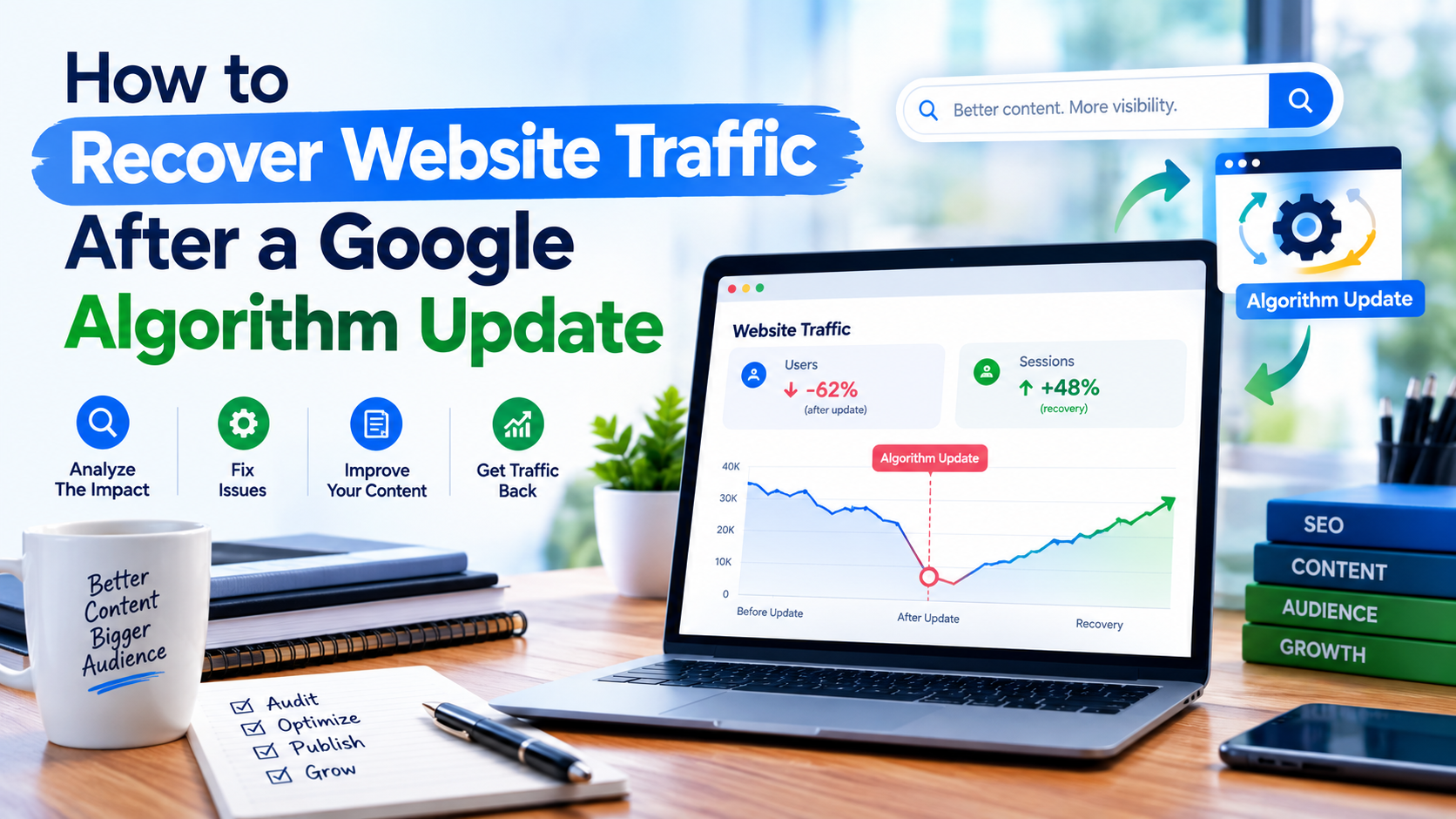
A sudden drop in website traffic after a Google algorithm update can be worrying, especially for bloggers, content creators and news publishers who depend heavily on Google Search for visitors.
One day, your articles may be receiving thousands of impressions and clicks. Shortly after a major Google Search update, traffic can fall significantly, some pages may lose rankings, and previously successful keywords may become harder to find.
Read also: Why Google Is Not Indexing My New Articles? 12 Reasons and How to Fix It
However, a traffic decline does not automatically mean that your website has been penalised.
Google regularly changes and improves its Search systems. Its current guidance encourages website owners experiencing traffic drops to investigate what changed, evaluate their content and make improvements that provide greater value to users. Google also notes that there may not be one specific issue responsible for a decline.
The good news is that publishers can take a structured approach to diagnosing the problem and improving their websites.
Here is how to recover website traffic after a Google algorithm update.
1. Confirm That a Google Update Is Actually Responsible
Before changing hundreds of articles, first determine whether the traffic decline happened at the same time as a Google Search update.
Compare your website’s traffic before and after the suspected update using Google Search Console and your analytics platform.
Look at:
- Total clicks
- Total impressions
- Average position
- Click-through rate (CTR)
- Top-performing pages
- Search queries
- Countries generating traffic
- Mobile versus desktop performance
- Traffic from different search features
Search Console’s Performance report can help you understand how often your pages appear in Google Search, how frequently users click them and their average search position.
Do not immediately assume that every traffic decline is caused by an algorithm update. Seasonal changes, changes in search demand, technical problems, indexing issues, competitors, news cycles and website redesigns can also affect organic traffic.
2. Compare Your Traffic Before and After the Update
One of the easiest ways to understand the impact is to compare two periods.
For example, compare:
Before update: June 1–30
After update: September 1–30
You can also compare the same period from the previous year when seasonality is important.
Create a list of pages that experienced the largest decline.
For example:
| Page | Previous Clicks | Current Clicks | Change |
|---|---|---|---|
| Article A | 12,500 | 6,100 | -51% |
| Article B | 8,300 | 3,900 | -53% |
| Article C | 5,700 | 4,800 | -16% |
This helps you identify whether the problem affects your entire website or specific categories, topics and pages.
A site-wide decline requires a different investigation from a decline affecting only a particular group of articles.
3. Check Google Search Console for Technical Problems
Before rewriting content, make sure Google can properly access and index your website.
Check the following areas in Google Search Console:
- Pages indexing report
- URL Inspection
- Manual Actions
- Security issues
- Core Web Vitals
- Search performance
- Sitemap status
- Structured data reports
If pages have suddenly become excluded from Google’s index, the problem may be technical rather than editorial.
Check whether important pages are:
- Accidentally marked
noindex - Blocked by robots.txt
- Returning server errors
- Redirected incorrectly
- Canonicalised to another URL
- Removed during a website redesign
- Experiencing crawling problems
Google recommends using Search Console to monitor how Google sees your pages and to troubleshoot indexing and structured-data problems.
4. Identify Which Pages Lost the Most Traffic
Do not treat every article equally.
Export your Search Console data and identify the pages with the largest losses in clicks and impressions.
Then investigate whether the affected pages share characteristics.
For example, perhaps most affected pages are:
- Old news articles
- Thin articles
- Automatically generated content
- Rewritten stories
- Articles targeting highly competitive keywords
- Pages with outdated information
- Articles with weak original reporting
- Pages with poor internal linking
- Pages with excessive advertising
Finding a pattern can be more useful than randomly editing articles.
5. Review Your Content for Real User Value
One of the most important questions to ask is:
Does this page provide something genuinely useful to the reader?
Google’s guidance emphasizes helpful, reliable, people-first content rather than content created primarily to manipulate search rankings.
For every important article, ask:
- Does the article answer the reader’s question?
- Is the information accurate?
- Is it sufficiently detailed?
- Does it provide original information or analysis?
- Is the headline accurate?
- Are sources clearly identified?
- Is the author identifiable?
- Is the article updated when necessary?
- Does the page provide a good reading experience?
- Would a reader find the article useful even if Google sent no traffic?
If the answer to several of these questions is no, the page may need substantial improvement.
6. Improve Old and Underperforming Articles
Updating existing content can be more useful than constantly publishing new articles.
Start with pages that previously generated substantial traffic but have recently declined.
Improve them by:
- Correcting outdated information
- Adding relevant facts
- Improving explanations
- Adding original analysis
- Replacing broken links
- Updating statistics
- Improving headings
- Adding relevant images
- Strengthening internal links
- Removing unnecessary sections
- Improving readability
For news publishers, distinguish between an article that simply reports an event and one that provides useful context.
For example, instead of publishing a short article that only announces an event, consider adding verified background information, timelines, relevant previous developments and clearly attributed statements.
7. Avoid Mass-Producing Low-Value AI Content
Artificial intelligence can assist with research, editing, brainstorming and content workflows, but publishing large quantities of unoriginal content solely to attract search traffic can create SEO problems.
Google’s spam policies specifically describe scaled content abuse as producing many pages primarily to manipulate search rankings rather than help users. The policy applies regardless of whether the content is produced using AI, humans or a combination of methods.
This is particularly important for publishers operating high-volume websites.

Instead of asking:
“How many articles can we publish today?”
ask:
“How much useful information can we provide today?”
Use AI where appropriate as an editorial assistant, but ensure that published content receives meaningful human review, fact-checking, editing and original contribution.
8. Strengthen Originality and First-Hand Value
Competition in Google Search is extremely high.
If ten websites publish essentially the same information, merely changing the wording may not create a strong reason for users to choose your page.
Try to add something distinctive.
For bloggers, this might include:
- Personal experience
- Original photographs
- Testing
- Case studies
- Expert commentary
- Data analysis
- Examples
- Step-by-step explanations
For news publishers, originality could include:
- Original interviews
- Local reporting
- On-the-ground information
- Exclusive documents
- Verified quotations
- Original photographs
- Local context
- Follow-up reporting
The goal is to give readers a reason to visit your publication instead of simply reading another version of the same story.
9. Improve Headlines Without Using Clickbait
Your headline has an important job: accurately communicate what the article is about.
A weak headline may reduce clicks even when the page ranks reasonably well.
Instead of writing exaggerated headlines, make them:
- Clear
- Specific
- Accurate
- Relevant
- Concise
For example:
Weak:
“YOU WON’T BELIEVE WHAT HAPPENED NEXT!”
Better:
“Google Announces New Search Changes Affecting Website Publishers”
Read also: What Happens When You Don’t Maintain Your Website? 10 Risks You Should Know
The second headline gives users a clearer understanding of the content.
Avoid promising something that the article does not actually deliver.
10. Review Your Internal Linking Structure
Internal links help users discover related content and can help search engines understand relationships between pages.
Review your most important articles and connect them with relevant content.
For example, an article about Google algorithm updates could link to:
- Google Search Console guides
- Technical SEO articles
- Content optimisation guides
- Website speed tutorials
- SEO reporting articles
Avoid adding links simply for the sake of increasing the number of links. Each internal link should provide a useful next step for the reader.
11. Improve Website Page Experience
Content quality is important, but the website itself also needs to provide a reasonable experience.
Google’s page-experience guidance recommends looking at the overall experience rather than trying to optimise one isolated metric. Important considerations include Core Web Vitals, mobile usability, HTTPS, intrusive interstitials and excessive advertising that interferes with the main content.
Check your website for:
- Slow-loading pages
- Poor mobile layouts
- Intrusive pop-ups
- Excessive advertising
- Layout shifts
- Difficult navigation
- Hard-to-read text
- Broken images
- Broken links
Do not chase a perfect PageSpeed score simply because it is a number. The objective is to create a website that loads efficiently and is comfortable for visitors to use.
12. Review Your Advertising Strategy
Advertising is an important source of revenue for many publishers, but too many ads can negatively affect the user experience.
If visitors have to scroll through several advertisements before reaching the main article, reconsider the page layout.
Look at:
- Ad density
- Pop-ups
- Sticky advertisements
- Auto-playing media
- Ads between paragraphs
- Mobile advertising
- Interstitials
The main content should remain easy to find and read.
Google’s page-experience guidance specifically encourages publishers to avoid excessive ads that distract from or interfere with the main content.
13. Check Your Website’s Technical SEO
A technical SEO audit should examine the foundation of the website.
Check:
- HTTPS
- XML sitemap
- Robots.txt
- Canonical URLs
- Redirects
- 404 errors
- Duplicate URLs
- Mobile usability
- Page speed
- Internal links
- Indexing
- Structured data
- JavaScript rendering
For WordPress publishers, also review plugins and theme changes that may have affected metadata, canonical URLs, schema markup, navigation or page speed.
If your traffic dropped immediately after installing a plugin, changing a theme or redesigning your website, investigate that change before assuming the algorithm update is responsible.
14. Pay Attention to News Publisher SEO
News websites have additional challenges because search demand can change rapidly.
A news article may receive significant traffic for a few hours or days and then naturally decline as interest in the story disappears.
Therefore, publishers should distinguish between:
Normal news-cycle traffic decline
and
A genuine search visibility decline.
For important news stories, focus on accuracy, original reporting, clear authorship, trustworthy sourcing and useful context.
Google also provides specific guidance and features for publishers, including preferred sources in Search. Eligible publications can make it easier for readers to select their site as a preferred source for certain Google Search experiences.
15. Do Not Delete Large Numbers of Articles Immediately
A common reaction to a traffic drop is to delete hundreds or thousands of pages.
That can be risky if done without analysis.
Instead, classify your content into groups:
Keep
Useful, accurate and valuable content.

Improve
Content that has potential but needs better information, structure or originality.
Consolidate
Multiple pages covering essentially the same topic may sometimes be better combined into a stronger resource.
Remove
Pages that genuinely provide little value, are obsolete or should no longer be available.
The decision should be based on the content’s usefulness and purpose rather than simply whether the page currently receives Google traffic.
16. Do Not Change Everything at Once
If you change your entire website overnight, it becomes difficult to determine what actually helped.
Instead, work in stages.
For example:
Week 1: Technical SEO audit
Week 2: Improve 20 important articles
Week 3: Improve internal linking
Week 4: Review page experience
Week 5: Analyse Search Console data
Keep records of major changes.
Then monitor the results over time.
Remember that Google may need to recrawl and reprocess changes before their impact becomes visible. Some Search-related changes can take time to be reflected in Google’s systems.
17. Monitor Search Console Regularly
Do not wait until your traffic collapses before opening Search Console.
Create a regular SEO monitoring routine.
Track:
- Clicks
- Impressions
- CTR
- Average position
- Top queries
- Top pages
- Indexed pages
- Core Web Vitals
- Search appearance
Google has also continued expanding Search Console reporting as Search evolves. In September 2026, Google announced reporting for multimodal Search traffic, including searches involving Google Lens, Circle to Search and image-based searches.
For publishers with substantial visual content, monitoring these newer search experiences can provide additional insight into how audiences discover their content.
18. Build Traffic Sources Beyond Google
Google Search can be an important traffic source, but depending entirely on one platform creates risk.
Build additional channels such as:
- Email newsletters
- Direct traffic
- Social media
- YouTube
- WhatsApp communities
- RSS
- Returning visitors
- Push notifications where appropriate
- Partnerships and referrals
For news publishers, building a loyal direct audience is particularly valuable.
If readers know your publication and return directly, your organisation is less dependent on changes in search rankings.
Google Algorithm Recovery Checklist
Use this checklist after experiencing a significant traffic decline:
- Confirm when traffic started falling
- Check whether a Google update occurred around the same period
- Compare Search Console data before and after the decline
- Check indexing status
- Review Manual Actions and Security reports
- Identify pages with the largest losses
- Analyse affected search queries
- Review outdated content
- Improve weak articles
- Add original information and analysis
- Remove or consolidate genuinely low-value content
- Review AI-assisted content
- Improve internal linking
- Check mobile usability
- Review Core Web Vitals
- Reduce intrusive advertising
- Check redirects and canonical URLs
- Verify structured data
- Improve headlines and page titles
- Monitor changes consistently
Final Thoughts
Recovering website traffic after a Google algorithm update is rarely about discovering a secret SEO trick.
The more sustainable approach is to understand what changed, identify which pages were affected, investigate technical problems and systematically improve the usefulness and reliability of your website.
For bloggers and content creators, this means creating content that genuinely helps readers.
For news publishers, it means investing in original reporting, accurate information, strong editorial standards and useful context rather than simply producing large volumes of similar stories.
Most importantly, do not panic when traffic falls. A decline is a signal to investigate.
Use Google Search Console to identify what changed, audit the affected pages, improve the areas that need attention and continue monitoring your site’s performance.
Read also: How to Make a Nigerian News Website More SEO-Friendly
SEO recovery is a process—not a single switch that can be turned on overnight.
The long-term objective should be to build a website that readers trust and find useful, regardless of individual Google algorithm changes.