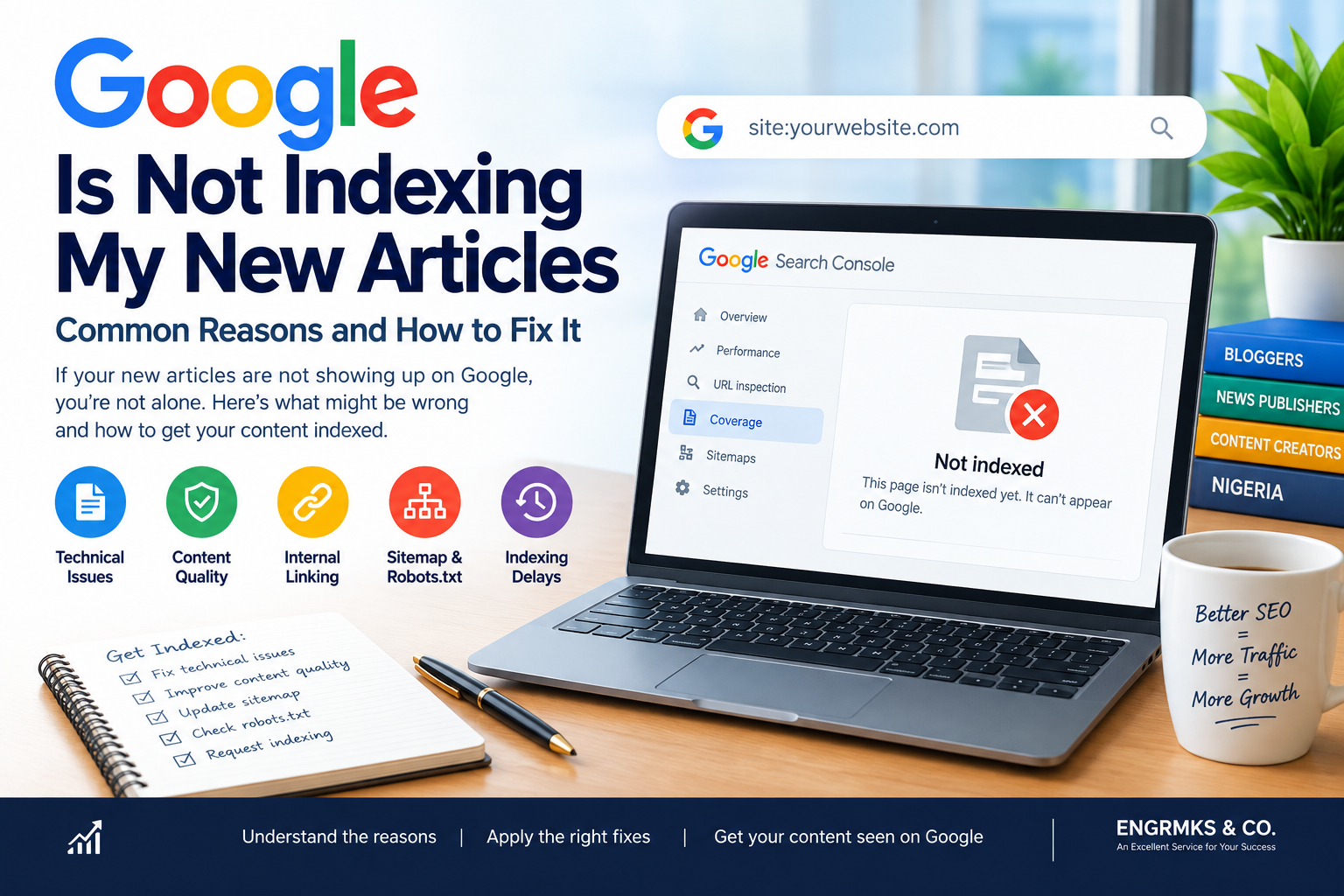
Why Google Is Not Indexing My New Articles? 12 Reasons and How to Fix It
You have published a new article, shared it on social media and waited for Google to discover it. Hours later—or even days later—you search for the article on Google and nothing appears.
If you are asking, “Why is Google not indexing my new articles?”, you are not alone.
Read also: How to Make a Nigerian News Website More SEO-Friendly
This is a common problem among bloggers, content creators and online news publishers. However, it is important to understand that publishing an article does not automatically mean Google will immediately crawl, index or rank it.
Google has to discover the URL, crawl the page, process its content and decide whether the page should be included in its search index. Google also states that crawling and indexing can take time, sometimes several days after a page is published.
The good news is that many indexing problems can be diagnosed through Google Search Console and corrected through technical SEO, better internal linking, proper sitemaps and improvements to the content itself.
Here are some of the most common reasons Google may not be indexing your new articles—and what you can do about them.
1. Your Article Is Simply Too New
Before changing your website, remember one important fact: a newly published article may need time to be discovered and crawled.
Google does not promise instant indexing for every URL. Even when a page is technically accessible, Google may take time to discover and process it.
This is particularly important for smaller websites and new blogs that do not publish frequently.
For example, if you publish an article today and check Google a few hours later, its absence from search does not necessarily mean something is broken.
What to do
Give Google some time, but don’t simply wait indefinitely.
Use Search Console’s URL Inspection tool to check the URL and determine whether Google has discovered or indexed it.
If the page is eligible for indexing and you have made sure there are no technical problems, you can request crawling through URL Inspection.
Remember that a request to crawl is not a guarantee of immediate indexing.
2. Your Page Has a noindex Directive
One of the most important things to check is whether your article is accidentally marked as noindex.
A noindex directive tells search engines not to include the page in their search results.
This can happen because of:
- SEO plugin settings
- Theme settings
- WordPress configuration
- Custom code
- Incorrect page settings
- Migration problems
- Development-site configurations
If you use WordPress, check the SEO settings for the individual article and your site’s global settings.
What to do
Inspect the URL in Google Search Console and check whether Google reports that indexing is prevented.
Also inspect the page source or use your SEO plugin’s advanced settings to determine whether a noindex directive is present.
Google’s documentation specifically recommends checking whether a page is blocked by noindex, robots.txt or login requirements when troubleshooting indexing.
3. Your Robots.txt Is Blocking Google
Your robots.txt file controls which parts of your website crawlers are allowed to access.
A badly configured robots.txt file can prevent Googlebot from accessing important pages.
For example, an overly aggressive rule such as:
User-agent: *
Disallow: /
could prevent Google from crawling your entire website.
Google explains that pages blocked by robots.txt cannot be crawled for their content, although the URL itself may still potentially appear in search results without a normal snippet.
What to do
Visit:
yourdomain.com/robots.txt
Check whether important article directories, categories or WordPress paths are being blocked unnecessarily.
Also make sure your sitemap is referenced correctly.
For example:
Sitemap: https://example.com/sitemap_index.xml
Do not copy a robots.txt configuration from another website without understanding what each directive does.
4. Your Sitemap Is Missing or Not Updated
A sitemap helps search engines discover URLs on your website.
For publishers who produce many articles, a properly functioning XML sitemap is particularly important.
Your sitemap should contain the URLs you want search engines to discover and should be accessible to Google.
Google recommends submitting a sitemap to help keep it informed about future changes.
What to do
Open Google Search Console and go to:
Indexing → Sitemaps
Check whether your sitemap has been submitted successfully.
Depending on your WordPress SEO setup, your sitemap might look like:
https://example.com/sitemap_index.xml
or:
https://example.com/post-sitemap.xml
The exact URL depends on your SEO plugin or website configuration.
If you recently changed SEO plugins, migrated your website or changed your domain structure, check your sitemap again.
5. Google Has Not Discovered the Article
Google needs a way to discover your new URL.
This is where internal linking becomes extremely important.
Imagine publishing an article that exists only through its URL but is not linked from your homepage, categories, related posts or other pages.
Google may have a harder time discovering it.
What to do
Link to new articles from relevant areas of your website.
For example, a news publisher could link a new story from:
- Homepage
- Category page
- Related articles
- Previous reports
- Author page
- Topic pages
Internal links also help readers discover related content.
6. Your Website Has Weak Internal Linking
Internal linking is especially important for news publishers.
Suppose your website publishes:

“Kano Government Announces New Education Programme”
You could link to it from previous articles about:
- Kano education
- State government policies
- Education reforms
- Schools in Kano
- Previous government announcements
This creates a network of related pages.
Instead of every article becoming an isolated URL, your website develops a structure that helps both users and search engines understand relationships between content.
7. Your New Article Is Too Similar to Existing Content
Another potential problem is duplication or near-duplication.
This is particularly relevant to news publishers.
For example, a publisher may publish several articles saying essentially the same thing:
- Government announces policy
- Government releases policy
- New government policy announced
- Government unveils new policy
If the pages contain very similar information, search engines may not consider every URL independently valuable.
What to do
Before publishing multiple articles about the same development, consider whether the new information deserves:
- A new article
- An update to an existing article
- A follow-up report
- A dedicated analysis
- A live/developing story
When a new article is justified, make sure it provides meaningful additional information.
8. Your Canonical URL Is Pointing Somewhere Else
Canonicalization is another important indexing issue.
A canonical tag tells Google which URL should be considered the preferred version when multiple URLs contain substantially similar content.
If your new article accidentally has a canonical pointing to another page, Google may choose the canonical URL rather than indexing the new URL as a separate page.
What to do
Inspect the article in Google Search Console.
Check the Google-selected canonical and compare it with the URL you intended to index.
This is particularly important after:
- Website migrations
- Domain changes
- Theme changes
- Plugin changes
- URL restructuring
- AMP implementation
- Pagination changes
9. Your Website Is Difficult to Crawl
Technical problems can interfere with Google’s ability to access your content.
Potential issues include:
- Server errors
- Slow or unstable hosting
- Incorrect redirects
- Broken URLs
- DNS problems
- Login requirements
- Firewall restrictions
- JavaScript rendering problems
- Poor site architecture
Google recommends using URL Inspection to test how it accesses and renders pages.
For publishers on shared hosting, server performance can become particularly important when a website experiences traffic spikes.
A website that frequently returns 5xx errors may have crawling problems.
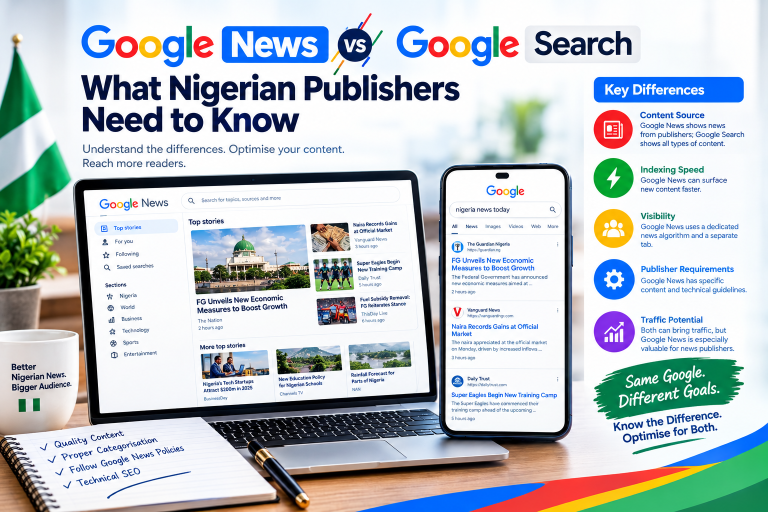
Read also: Google News vs Google Search: What Nigerian Publishers Need to Know
10. Your Content Provides Little Unique Value
Technical SEO is important, but indexing is not purely a technical issue.
Your content also matters.
If your website publishes large quantities of thin, repetitive or heavily rewritten material, you should reconsider the overall editorial strategy.
Google’s Search guidance emphasizes creating helpful, reliable, people-first content rather than content produced primarily to manipulate search rankings.
For news publishers, original reporting can be particularly valuable.
Instead of simply rewriting another publication’s story, consider adding:
- Original interviews
- Local reporting
- Official documents
- Quotes
- Data
- Context
- Photographs
- Expert commentary
- Background information
11. Your Website Has Poor Page Experience
Page experience is not the same thing as indexing, but it can affect the overall quality of a site’s search experience.
Google recommends paying attention to factors including:
- Core Web Vitals
- Mobile usability
- HTTPS
- Intrusive interstitials
- Excessive or distracting advertising
- Clear presentation of the main content
For news websites, excessive advertising can be particularly problematic.
If readers have to close multiple pop-ups before reaching the article, the experience may suffer.
What to do
Test your articles on:
- Android phones
- iPhones
- Desktop computers
- Slow connections
Make sure the main article is easy to find and read.
12. Your Site Is New and Has Not Built Strong Discovery Signals
New websites often need time to establish themselves.
If your domain was registered recently and has very few pages, few internal links and little external visibility, Google may not discover new pages as quickly as it does on an established publication.
This does not mean that a new website cannot be indexed.
It means you should build a strong technical and editorial foundation.
Publish consistently, create useful content and develop a logical internal linking structure.
How to Check Why Google Is Not Indexing a Specific Article
The fastest way to troubleshoot an individual article is to use Google Search Console.
Step 1: Open Google Search Console
Select the correct website property.
Step 2: Open URL Inspection
Paste the complete URL of the article.
Step 3: Check the Indexing Status
Look carefully at the result.
You may see messages relating to:
- URL is not on Google
- Crawled – currently not indexed
- Discovered – currently not indexed
- Blocked by robots.txt
- Excluded by
noindex - Duplicate
- Google-selected canonical
- Server errors
Do not treat all “not indexed” messages as the same problem.
The exact reason determines what you should fix.
Step 4: Test the Live URL
Use the Test Live URL function where appropriate.
This can help determine whether Google can currently access the page.
Step 5: Fix the Problem
Do not repeatedly request indexing without addressing the underlying issue.
If the problem is noindex, remove the inappropriate directive.
If the problem is robots.txt, correct the blocking rule.
If the problem is discovery, improve internal links and sitemap coverage.
If the problem is content quality, improve the article.
Step 6: Request Indexing
After correcting the problem, you can request indexing through URL Inspection.
Google can still take time to crawl and process the page, so do not expect an immediate result.
A Quick Indexing Checklist for Nigerian Publishers
Before publishing your next article, check the following:
Technical SEO
☐ Website is accessible
☐ HTTPS is working
☐ Article returns HTTP 200
☐ No accidental noindex directive
☐ Robots.txt does not block the article
☐ Canonical URL is correct
☐ XML sitemap is working
Content

☐ Article provides useful information
☐ Headline accurately describes the story
☐ Content is original or adds meaningful value
☐ Article has clear author information where appropriate
☐ Images have appropriate descriptions
☐ Article is easy to read on mobile
Internal Linking
☐ Article is linked from a relevant category
☐ Related articles are linked
☐ Important pages link to relevant new content
☐ Navigation allows users to discover the article
Google Search Console
☐ Sitemap submitted
☐ URL Inspection checked
☐ No critical indexing issue reported
☐ Coverage/indexing status monitored
Should You Submit Every Article Manually?
Not necessarily.
For a website publishing many articles every day, manually requesting indexing for every URL is not a sustainable SEO strategy.
Your primary goal should be to maintain a website that allows Google to discover, crawl and understand new content naturally.
A healthy sitemap, good internal linking, accessible pages and consistent publishing structure can help.
Manual URL Inspection is more useful as a diagnostic and troubleshooting tool when a particular page has an indexing problem.
What News Publishers Should Do Differently
News publishers have an additional challenge: speed matters.
A story may be highly relevant today but much less useful several days later.
Therefore, news websites should pay particular attention to:
- Fast publishing
- Accurate reporting
- Clear headlines
- Strong internal linking
- Functional XML sitemaps
- Reliable hosting
- Mobile performance
- Author transparency
- Original reporting
- Regular Search Console monitoring
Google also provides Article structured data guidance for publishers. Structured data can help Google understand article content, although using structured data does not guarantee that a page will receive a particular search appearance.
Final Thoughts
If you are asking “Why is Google not indexing my new articles?”, don’t immediately assume that your website has been penalized or that Google has stopped indexing your content.
The problem could be much simpler.
Your article may be new, Google may not have discovered it yet, your sitemap may need attention, an accidental noindex directive may be present, robots.txt may be blocking access, your canonical URL may be incorrect, or your website may have technical and content-quality problems.
The best approach is to diagnose the exact URL using Google Search Console, fix the underlying issue and then allow Google time to recrawl and process the page.
For Nigerian bloggers, content creators and news publishers, indexing should be treated as part of a broader SEO system—not as a button you press after every article.
A technically healthy website, useful content, strong internal linking, clean sitemaps, reliable hosting and consistent editorial quality give your new articles a much stronger foundation for being discovered and appearing in Google Search.
Frequently Asked Questions
Why is Google not indexing my new article?
There are several possible reasons, including the page being too new, Google not discovering the URL, a noindex directive, robots.txt restrictions, canonicalization problems, technical errors or content issues.
How long does Google take to index a new article?
There is no guaranteed indexing time. Google states that it may take several days after publishing for it to find and crawl a page.
How do I request Google to index my article?
Open Google Search Console, use URL Inspection, inspect the article and, when appropriate, use the request indexing option after ensuring the page is technically accessible.
Does requesting indexing guarantee that Google will index my article?
No. A request asks Google to crawl the URL; it does not guarantee inclusion in Google’s index.
Can robots.txt prevent my article from being indexed?
Robots.txt can prevent Google from crawling the page. Google explains that a blocked URL may still potentially be indexed without its content being crawled.
Does submitting a sitemap guarantee indexing?
No. A sitemap helps Google discover URLs, but submitting one does not guarantee that every URL will be indexed.
Why are my old articles indexed but my new articles are not?
New articles may require additional time to be discovered and processed. Differences in internal linking, technical configuration, content quality, canonicalization or crawl accessibility can also affect individual URLs.
Read also: Why Nigerian Businesses Lose Customers Because of Poor Websites
Should I request indexing for every new news article?
It is generally better to maintain a technically healthy site with working sitemaps and strong internal linking than to depend on manual indexing requests for every article.